Category: Seobase

  • How to find low-hanging fruit keywords in 2026: step-by-step guide

    How to find low-hanging fruit keywords in 2026: step-by-step guide

    how to find low hanging fruit keywords

    On this page

    If you want faster SEO results, start by learning how to find low-hanging fruit keywords. These are search terms with low competition and enough search volume to make a difference, keywords you can rank for quickly, even if your site is new or your resources are limited.

    Low-hanging fruit keywords help you avoid the uphill battle for highly competitive rankings and focus on what works now. This guide covers practical ways to identify them, compares the best tools, shares insights from practitioners like Edward Sturm, and breaks down real case studies so you can see the results.

    What makes a keyword low-hanging fruit?

    A software UI screen depicting the feature or workflow behind "how to find low hanging fruit keywords: What makes a keyword low-hanging fruit?" — a concrete das

    Low-hanging fruit keywords offer a fast path to improved rankings because they meet three criteria: low keyword difficulty, moderate search volume, and clear search intent. You often find these keywords where your site ranks on page 2 or 3 of Google, close to page 1, but not quite there.

    Low competition: These keywords have weaker or outdated content ranking for them. For example, if the top results are thin articles or old blog posts, you can outrank them with fresher, more complete content. A keyword difficulty score below 30 in tools like Ahrefs or SEMrush usually signals this opportunity.

    Moderate search volume: True low-hanging fruit keywords are searched often enough to matter but not so popular that large competitors target them aggressively. For example, a keyword with 150 monthly searches can drive quality leads if you secure a top-five spot.

    Clear search intent: When users search these terms, their intent is obvious, such as to buy, compare, or solve a problem. This clarity makes it easier to create content that directly answers their needs.

    To find these keywords, look for terms where your site already ranks between positions 11 and 30. Use Ahrefs’ Site Explorer or Google Search Console, filter for keywords in these positions, and sort by keyword difficulty and search volume. If you spot your site on page 2 for “best project management app for small teams” with only older forum threads as competition, that’s a classic low-hanging fruit.

    Focusing on these keywords is the fastest way to get SEO wins. You can update or create content, see movement in a few weeks, and build momentum before targeting tougher keywords.

    How to find low-hanging fruit keywords with free tools

    Start with Google Search Console. Download your queries report and filter for keywords where your average position is between 8 and 20. These are your low-hanging fruit, terms you already rank for, just off page one or two. Improving these can deliver quick results.

    Next, use Google search operators like site:competitor.com "target keyword" to see which competitors rank for these keywords. If you find a query where your site appears but major competitors do not, you may have found a content gap. For example, if you rank position 12 for “B2B onboarding template” and your main competitor doesn’t show up, that keyword likely has low competition.

    Open the SERP for your shortlisted keywords. Look for weak content: thin articles, forums, outdated posts, or irrelevant results. If the top spots are filled with pages from several years ago or low-effort listicles, you can often outrank them with a current, detailed resource. Notice if the top result has a publish date over two years old, Google often rewards fresher content for queries with terms like “template,” “guide,” or a recent year.

    Don’t just chase search volume. Score each keyword on business relevance. A keyword with low volume but direct alignment to your core service (like “SaaS onboarding checklist” for a SaaS consultancy) is more valuable than a higher-volume, generic phrase. Build your list, then sort by how closely each term matches your offer and the value of a potential click.

    Repeat this process monthly. Google Search Console data reflects recent changes in your site’s visibility. As your rankings shift, new low-hanging keywords appear and old ones climb higher. This keeps your pipeline full.

    Comparing top keyword research tools for low-hanging fruit

    A software UI screen depicting the feature or workflow behind "how to find low hanging fruit keywords: Comparing top keyword research tools for low-hanging frui

    Finding low-competition keywords starts with the right tool. Ahrefs, Semrush, Moz, Ubersuggest, and Advanced Web Ranking (AWR) all feature a keyword difficulty score, but each calculates it differently. If you’re looking for easy wins, filter for a keyword difficulty score under 30. Source

    Ahrefs surfaces long-tail keywords with lower difficulty when you filter under 30, and their “traffic potential” estimate highlights terms with low search volume but strong click-through rates. Semrush also flags “easy” terms at 30 or below but often shows more SERP features, like featured snippets or People Also Ask boxes, which can crowd out your organic listing. Always check for these before targeting a keyword.

    Moz and Ubersuggest offer similar difficulty scoring, though Moz’s index can miss newer terms. For hyper-current topics, Ubersuggest sometimes refreshes faster. AWR stands out for tracking actual Google SERPs at a granular location level, so you can spot low-competition keywords in specific cities or regions.

    Seobase automates keyword discovery and content gap analysis. It surfaces clusters of low-difficulty keywords your competitors rank for but you don’t, saving time, especially if you manage multiple sites.

    When choosing a tool, check more than just the difficulty score. Look at traffic estimates, see how crowded the results page is with ads or special features, and prioritize keywords where a standard organic listing still gets clicks. For example, if Ahrefs shows “best ergonomic chair under $200” has a KD of 22 and only three ads on page one, that’s a solid target.

    Not all low-competition keywords are equal. The best tool is the one that fits your workflow and helps you spot easy wins before your competitors do.

    How to prioritize keywords for business impact

    Score each keyword across four categories: relevance to your business, traffic potential, conversion optimization, and the likelihood of winning SERP features like featured snippets or local packs. This approach helps you focus on keywords that drive revenue, not just clicks.

    Relevance: If the keyword doesn’t map to your product or service, skip it. For example, if you run a payroll SaaS, “best payroll software for small business” is a good fit, but “how to become an accountant” is not. Relevance is essential, you want searchers who can buy or act, not just browse.

    Traffic potential: Use tools like Ahrefs or SEMrush to estimate monthly searches. High volume matters only if you can realistically win the term. Sometimes a keyword with 300 searches but clear buying intent is better than chasing a broad term with thousands of searches and no clear path to sale.

    Conversion rate optimization: Prioritize keywords that match what you actually sell. For instance, landing pages targeting “payroll onboarding checklist” convert better if you offer onboarding tools. Test your landing pages and measure which terms lead to real signups or sales.

    Keyword opportunity score and SERP feature presence: Some tools calculate a “keyword opportunity score” by combining search volume, keyword difficulty, and SERP features. Look for keywords where the top Google search results aren’t dominated by big brands or where answer boxes and maps could push your page up. For example, a payroll company might find “payroll tax deadlines 2024” has a low keyword difficulty and a featured snippet, making it a prime low-hanging fruit.

    Don’t focus only on low-competition or low-volume keywords. Those can bring quick wins, but the impact stalls if the terms are too niche or irrelevant. Balance your mix: target some low-hanging fruit for short-term gains, but invest in higher-competition, high-relevance terms for long-term growth.

    Every term you target should have a clear business case, either it brings buyers closer or builds authority in your space.

    Real-world results: case studies after targeting low-hanging fruit

    A software UI screen depicting "Real-world results: case studies after targeting low-hanging fruit" — specifically: Site x: rankings and traffic up in weeks; Co

    Site x: rankings and traffic up in weeks

    After updating content to target low competition keywords, Site X moved from position 12 to 3 on Google Search for the term “fruit delivery” in a short period. That shift put their page on the first results screen, where buyers click.

    Organic traffic increased as Site X focused on low-hanging fruit, terms with lower keyword difficulty but high buyer intent. The team chose specific, intent-driven topics with less competition, then refreshed existing pages to match what searchers wanted.

    Conversion rates: matching searcher intent

    Site X also saw conversion rates climb after shifting to intent-aligned keywords. These were terms where visitors came ready to buy or inquire, not just browse. The content addressed the questions and needs of people searching, so more visitors took action.

    Seobase users: faster publishing, faster wins

    Seobase customers report similar results. By using Seobase to surface low-hanging fruit, teams publish optimized content faster and see rankings rise sooner. The tool’s keyword difficulty metrics help spot easy wins, so pages start ranking and pulling traffic before competitors notice the opportunity.

    The takeaway: Updating for low competition, intent-focused terms delivers real gains, more traffic, better rankings, and higher conversion rates, when you act on the data.

    Common mistakes when chasing low-hanging fruit keywords

    Chasing low-hanging fruit keywords can backfire if you miss these pitfalls.

    1. Focusing only on low search volume terms

    Low competition keywords often have low search volume, but not every small number is worth your time. If you build your content strategy around terms no one searches, you’ll struggle to drive meaningful traffic. You need a mix of easier wins and keywords with enough demand to matter.

    2. Ignoring search intent and user needs

    Just because a keyword looks easy does not mean it matches what your audience wants. If your content misses the reason someone searched, Google will bury your page no matter how “easy” the keyword appears. Always check the top results and make sure your page satisfies the real question or task behind the search.

    3. Overlooking SERP features that block clicks

    Some low competition keywords trigger Google features like answer boxes or maps that absorb clicks before anyone sees organic results. Ranking at the top for these can still mean almost no visitors. Scan the search results page and ask: would a real person actually click through, or did Google already answer their question?

    4. Failing to update keyword lists as trends change

    Keyword difficulty and search demand shift quickly. A term that was low-hanging fruit last year might be saturated now or no longer relevant. Review and refresh your keyword list regularly so your efforts stay focused on current opportunities. Outdated targeting wastes time and slows your growth.

    Your next action: start uncovering low-hanging fruit today

    Smart keyword targeting puts quick SEO wins within reach. Low-hanging fruit keywords, terms with lower competition and solid search volume, let you move up Google’s results with less effort. You do not need to chase the hardest phrases to see results.

    Start by running the workflow above. Plug your niche into a keyword tool and filter for keyword difficulty under 30. Scan the results for terms that match your content and audience. If you see something like “best standing desk for small spaces” with low competition, that’s a green light.

    Action step: Pick one promising keyword today, update an existing page or draft a new post targeting it, and publish. Fast execution matters more than endless research. Track your ranking over the next month to see how quickly these changes pay off.

    Small moves compound. Start today.

    Ready to automate your keyword research and content publishing? Try Seobase for streamlined SEO workflows.

    Frequently asked questions

    What are low-hanging fruit keywords?

    Low-hanging fruit keywords are search terms with low competition, moderate search volume, and clear intent, making them easier to rank for and valuable for quick SEO wins.

    How do I find low-hanging fruit keywords for my website?

    Start with Google Search Console to identify keywords where you rank on pages 2-3, analyze competitors with search operators, and use keyword tools to filter for low-difficulty terms.

    Which tools are best for identifying low-hanging fruit keywords?

    Top tools include Ahrefs, Semrush, Moz, Ubersuggest, and Advanced Web Ranking. Seobase automates much of the process and integrates with your CMS for faster publishing.

    How do I assess keyword difficulty?

    Keyword difficulty scores under 30 are generally considered ‘easy.’ Check each tool’s scale and analyze SERP competition, content quality, and backlink profiles.

    Can I find low-hanging fruit keywords without paid tools?

    Yes. Use Google Search Console, search operators, and manual SERP analysis to uncover opportunities without spending on premium tools.

    How do I know if a keyword will convert?

    Prioritize keywords with clear business relevance and intent. Check if the keyword aligns with your products or services and review past conversion data where possible.

    What is the difference between long-tail and low-hanging fruit keywords?

    Long-tail keywords are longer, specific phrases with lower search volume. Low-hanging fruit keywords may be long-tail or short-tail but are defined by low competition and ranking opportunity.

    How often should I update my keyword list?

    Review your keyword list quarterly to account for changes in search trends, competition, and business priorities. Update more frequently in fast-changing industries.

    Related reading

  • Search Google or type a URL: how your browser decides & what it means (2026 guide)

    Search Google or type a URL: how your browser decides & what it means (2026 guide)

    search google or type a url

    On this page

    When you click your browser’s address bar, you’ll see the prompt “search Google or type a URL.” This message means you can either enter a website address directly or type keywords to search Google from the same place. The browser’s omnibox decides whether to send you to a website or show search results based on what you enter.

    This guide explains how the browser address bar works, why you see that message, and practical tips for using the bar more efficiently.

    How browsers decide: search or URL?

    A software UI screen depicting the feature or workflow behind "search google or type a url: How browsers decide: search or URL?" — a concrete dashboard, table,

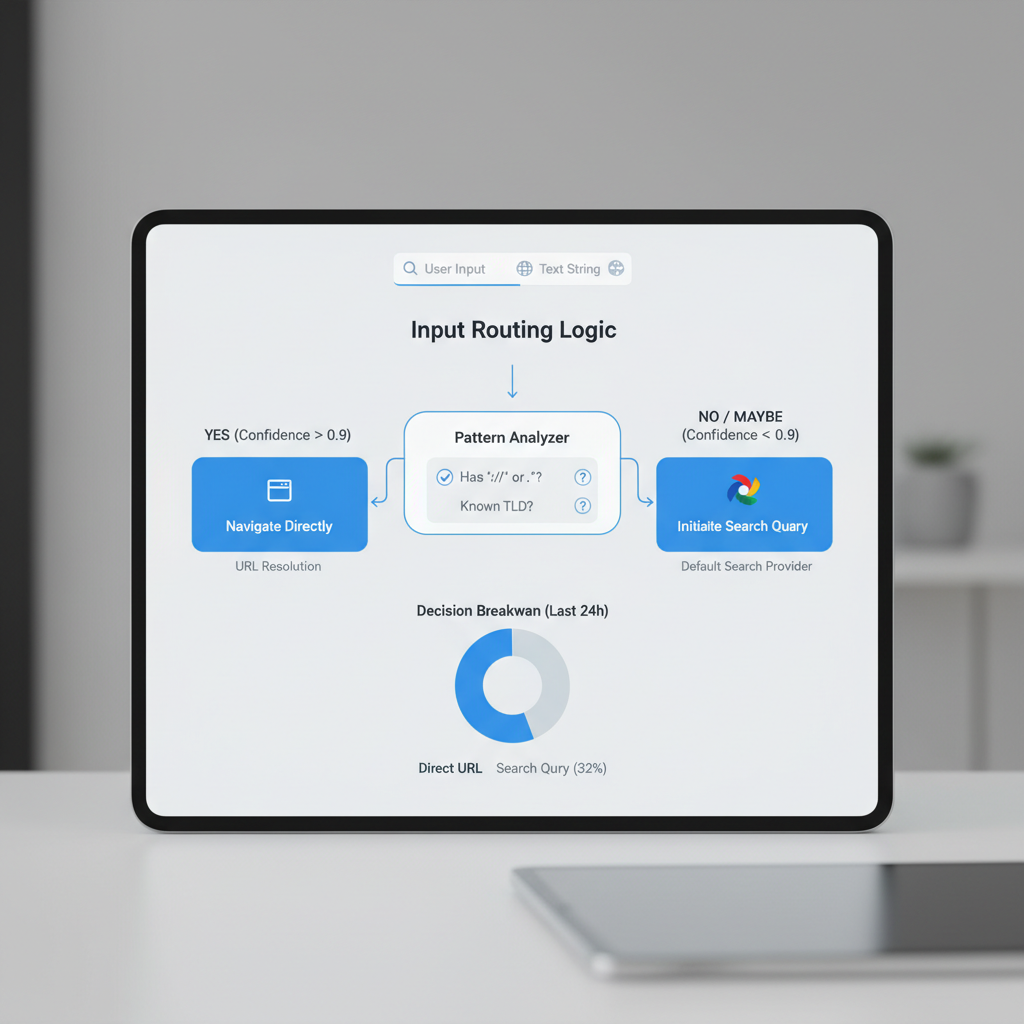
    Browsers use pattern recognition and stored data to decide if you typed a search or a web address. They scan your input for clues like dots, slashes, or familiar domain endings to guess if you want to visit a website or run a Google search.

    Dots and slashes: Typing news.com or mybank/login signals a domain or path, so the browser loads the site directly.

    Plain words and phrases: If you type weather tomorrow or python list comprehension without dots or slashes, browsers send this to your default search engine, usually Google, and show search results.

    Stored predictions: Autocomplete can change this. If you’ve visited cnn.com before, typing cnn may prompt the browser to suggest the full URL. Selecting that suggestion takes you to the site, not to a search. Bookmarks work the same way: enter a keyword tied to a saved site, and the browser loads the page.

    Different browsers, similar rules: Chrome, Firefox, Safari, and Edge all use these basic rules, but the details vary. Chrome prompts with Google search predictions, Firefox may prioritize bookmarks, and Safari sometimes waits for more input, especially on mobile.

    To force a direct URL, type the full address like https://example.com. To guarantee a search, add a question mark or space at the start, or use a search engine shortcut like ? python list comprehension in Chrome.

    Modern address bars: more than just URLs

    Modern address bars do more than load web pages. The omnibox (the combined address and search bar in browsers like Chrome) lets you type a URL, search Google, or jump to a site’s internal search with shortcuts. You don’t need to remember exact web addresses. Start typing a product, question, or partial URL, and the bar predicts what you want.

    Autocomplete pulls from your browsing history, bookmarks, and trending search results to suggest the fastest route. Typing “what” might instantly offer “What is an omnibox?” or “What time is it in Tokyo?” based on your habits and popular queries.

    Voice search is built in. Tap the microphone icon in Chrome’s address bar and speak your query. This is especially useful on mobile.

    You can also customize the bar with browser extensions. Some add password management, block trackers, or change how autocomplete works. Others let you search specific sites directly from the bar with a keyword, like typing “wiki Einstein” to search Wikipedia.

    The address bar is now your launchpad for the web. It’s where you start every search and navigation.

    Security and privacy: risks of searching vs. typing URLs

    A software UI screen depicting "Security and privacy: risks of searching vs. typing URLs" — specifically: Phishing and typosquatting risks; Searching vs. typing

    Phishing and typosquatting risks

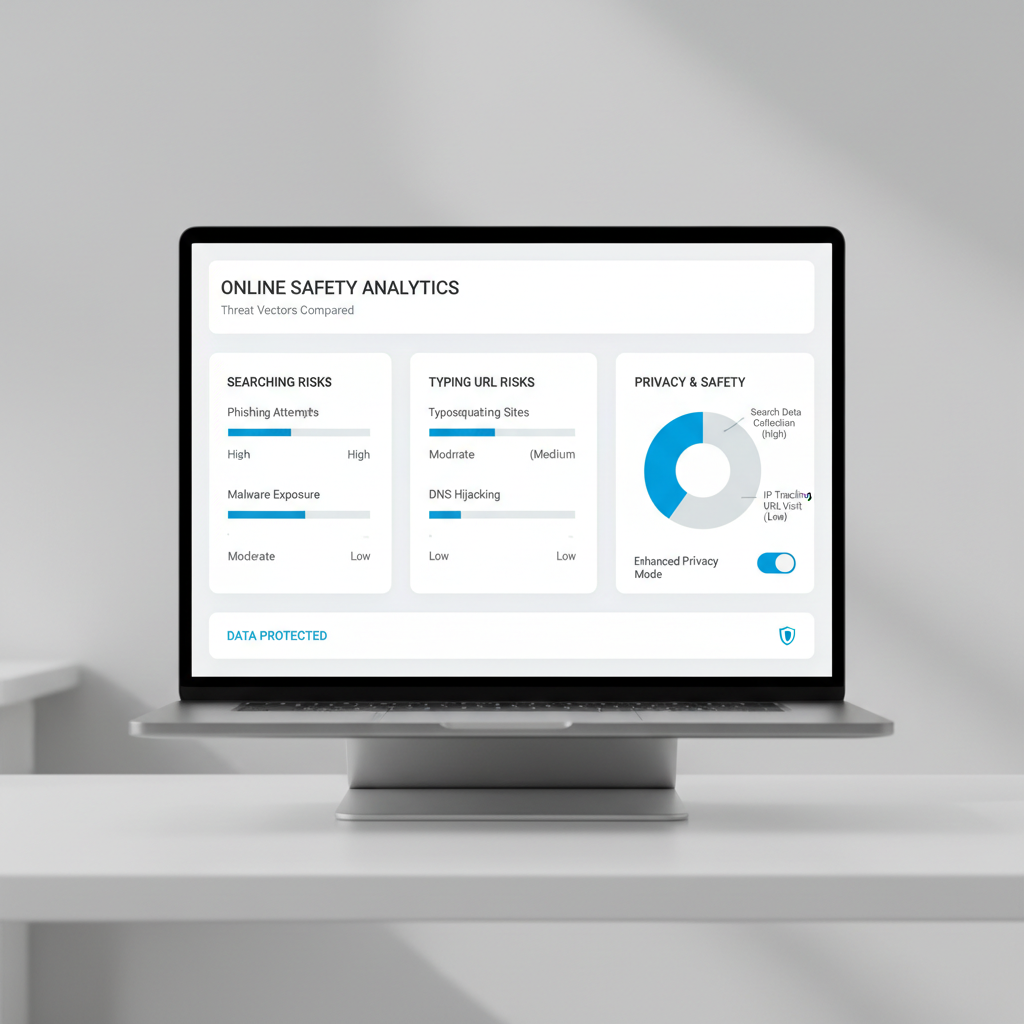
    Entering a website address directly is safer if you type the correct URL. A typo can land you on a phishing or typosquatting site designed to steal your credentials. Attackers buy domains like amaz0n.com or goggle.com to catch these mistakes. Entering your login details on a fake site can compromise your account.

    Searching vs. typing: privacy and safety

    When you use the address bar to search for a site by typing a single word like amazon instead of the full URL, your browser may run a search engine query instead of taking you directly to the site. This exposes you to two risks:

    • Malicious ads: Search results can include sponsored links that impersonate legitimate sites.
    • Fake results: Attackers buy ads or optimize fake sites to appear above the real one.

    Not every search engine filters out these threats equally well. If you always search Google for site names, watch for the “Ad” label and double-check URLs before clicking.

    How browsers help

    Modern browsers flag obvious typosquatting domains or warn about dangerous sites. Browser privacy settings control how much of your search and browsing history gets shared or stored. For sensitive tasks, use private browsing and keep your software up to date.

    Real-World Example: The Single-Word Trap

    If you type “amazon” in the address bar and hit Enter, Chrome or Firefox may treat it as a search, not a direct visit. You end up on a Google search results page, not amazon.com. This extra step increases the risk of clicking a fake or sponsored link.

    Bottom line: Typing a full URL you trust is safest. If you rely on search, stay alert for lookalikes and paid imposters. Double-check the address before pressing Enter.

    Address bar problems: fixing hijacking and unwanted redirects

    Address bar hijacking turns your browser’s main search bar into a tool for spam sites, junk ads, or fake search results. Usually, a rogue extension or malware has taken over your default search engine. If you type a URL or search Google from the address bar and land somewhere unexpected, you’re likely a victim of search hijacking.

    Check your default search engine

    Start with your browser’s settings. In Chrome, click the three dots, go to Settings, then Search engine. Make sure Google (or your preferred provider) is set as the default. The same process applies in Edge and Firefox, look for the “Search” or “Privacy & Security” sections.

    Remove malicious extensions

    Extensions cause most hijacks. Open your extensions list (chrome://extensions for Chrome) and disable anything you don’t recognize or use. Remove extensions that claim to “enhance search” or “protect privacy” but reroute search results.

    Scan for malware

    If you’re still getting hijacked or redirected, run a malware scan. Use Windows Defender or Malwarebytes, both catch common browser hijackers.

    Lock down privacy settings

    Modern browsers let you restrict how extensions and sites change your settings. In Chrome, go to Privacy and security > Site settings. Turn off permissions for sites you don’t trust.

    Use built-in reset tools

    If nothing else works, reset your browser. In Chrome, go to Settings > Reset settings > Restore settings to their original defaults. Firefox and Edge have similar reset options under their Help or Troubleshooting menus.

    A common scenario: after installing a free PDF tool, Chrome users find their address bar sending queries to an unknown search engine. Removing the extension and resetting Chrome restores normal address bar behavior.

    Protect your address bar. If you see strange redirects, act quickly. The longer you wait, the harder it is to remove unwanted changes.

    SEO and accessibility: how address bar use impacts your site

    A software UI screen depicting the feature or workflow behind "search google or type a url: SEO and accessibility: how address bar use impacts your site" — a co

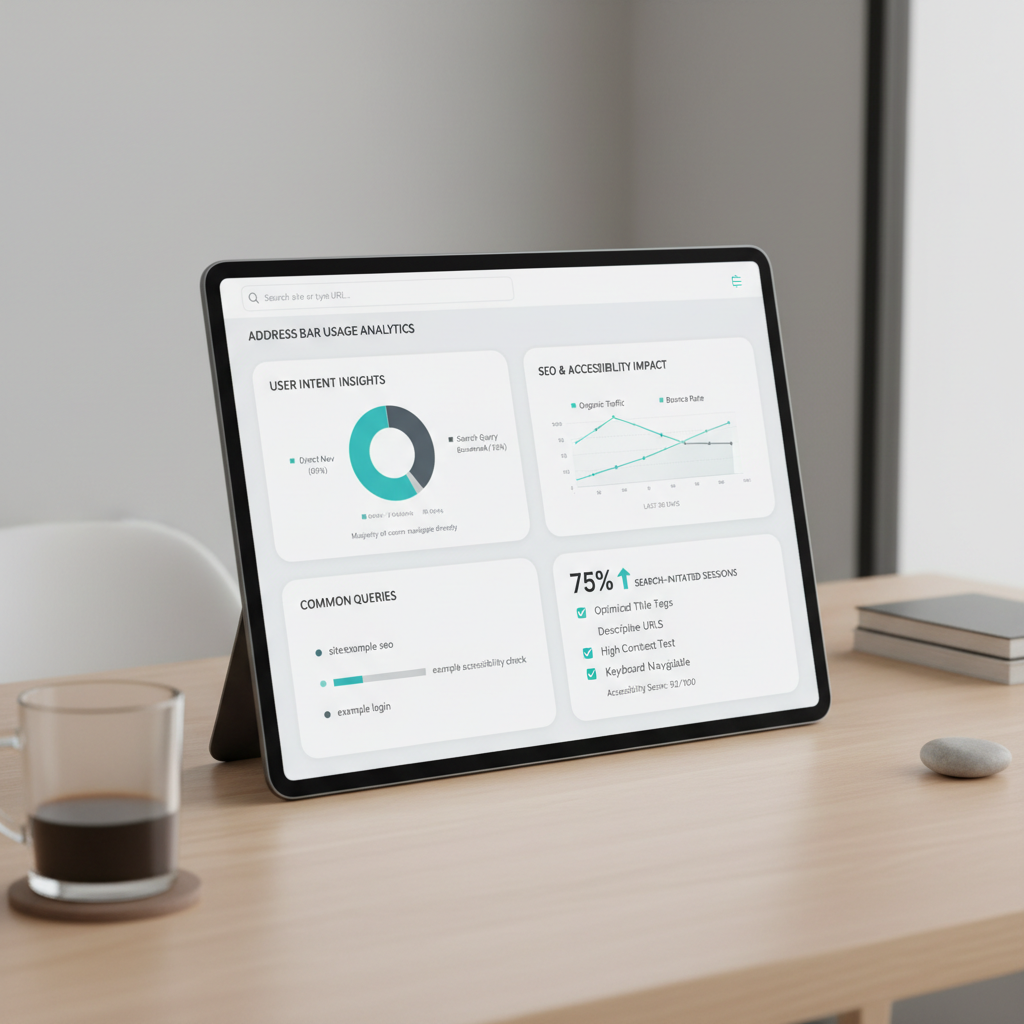
    A clean, memorable URL makes it easier for users to type your site directly into the address bar. For example, example.com/jobs is easier to remember and enter than example.com/category?id=42. When users can recall and type your URL, you reduce reliance on search engines and build trust.

    Search engines like Google do not use address bar behavior, such as whether someone types your URL or searches for your site, as a direct ranking factor. Your position in search results depends on content quality, relevance, and technical SEO, not how users arrive. However, a clear and relevant URL can improve your click-through rate when it appears in search, since users are more likely to trust and select a professional-looking link.

    URL structure also affects discoverability. Short, descriptive URLs are easier for users to remember, share, and revisit. They help search engines understand your site’s hierarchy and content. For instance, example.com/accessibility-features signals both the topic and the page’s purpose, which helps with SEO and user navigation.

    Accessibility features matter. Screen readers and voice input tools often rely on clear URLs for navigation. A user with a disability might use voice commands to “go to example.com/contact,” so a logical, simple URL structure supports their experience. Complicated or cryptic URLs can create barriers.

    URL shorteners and custom domains can improve usability. If you need to share a long or complex link, a tool like Bitly or a branded short domain makes it easier to type and remember. For example, bit.ly/ourreport2024 is simpler than a long tracking URL. Branded options like yourbrand.link/demo tend to inspire more trust.

    Bottom line: While address bar use itself doesn’t affect SEO rankings, your URL choices shape how easily users can find, remember, and access your site, especially for those relying on accessibility features. Clean, logical URLs pay off.

    Automate SEO and content publishing with Seobase

    Seobase eliminates manual SEO and content publishing tasks. Instead of toggling between tools and spreadsheets, you get a connected workflow for keyword research, content planning, and publishing, all with automation.

    Automated research and planning: Seobase scans search results and Google data to spot keyword opportunities for your site. You get a content calendar tailored to your niche, without hours spent typing keywords or parsing spreadsheets.

    AI-powered writing and publishing: Once your calendar is set, Seobase’s AI drafts articles based on your target keywords and posts them straight to your CMS. For example, if you want to target “google type url in address bar,” Seobase generates a brief, writes the article, and publishes it automatically.

    Integrated backlink workflow: Seobase tracks backlink opportunities, manages outreach, and brings approvals into one dashboard. You can review, approve, or reject link exchanges in a few clicks, so you never miss a chance to boost your search engine visibility.

    Less manual work, more ranking: This connected system means you spend less time on repetitive tasks and more time refining your strategy or reviewing results. You move from research to ranking improvement without manual steps.

    Seobase is built for operators who want to scale their organic reach without scaling up their workload. It automates the SEO workflow from search to publish, so your site climbs the rankings while you focus on growth.

    Ready to automate your SEO workflow? Try Seobase for streamlined content and backlink management.

    Key takeaways: navigating and searching smarter in 2026

    How browsers decide: search or navigate

    Your browser’s address bar, or omnibox, acts as both a navigation tool and a search box. If you type a full web address like www.example.com and hit Enter, the browser takes you straight there. If you enter something less specific, such as “best SEO tools,” it sends your query to your default search engine, usually Google, and shows you search results.

    Safety first: control where you land

    Typing the exact URL keeps you safer. It reduces the risk of landing on lookalike scam sites that sometimes rank in search results. For sensitive accounts, always type the full address and look for the padlock icon. Want more privacy? Adjust your browser’s settings to block trackers or switch on private browsing. Chrome, Firefox, and Safari all let you tighten privacy controls in a few clicks.

    Smarter SEO work: automate with Seobase

    Manual site checks waste hours. Use automation tools like Seobase to streamline your SEO workflow. Seobase can track keyword rankings and audit your site automatically, so you don’t have to run each report by hand. The export defaults to PDF, so sharing updates with your team or clients is two clicks away.

    Make the omnibox work for you. Know when you’re searching and when you’re navigating, stay safe with full URLs, and let automation handle the SEO grunt work. That’s how you search smarter in 2026.

    Frequently asked questions

    What does ‘search Google or type a URL’ mean?

    It’s the prompt shown in your browser’s address bar (Omnibox), letting you either search Google directly or enter a website address to go there. The browser decides which action to take based on what you type.

    How does my browser decide whether to search or go to a website?

    Browsers use heuristics: if your input looks like a URL (contains a dot, slash, or domain pattern), it navigates directly. Otherwise, it performs a search using your default search engine.

    Is it safer to type a URL or search for a site on Google?

    Typing the full, correct URL is usually safer, as searching can expose you to ads or phishing sites. However, mistyping a URL can lead to typosquatting risks, so double-check addresses.

    What should I do if my browser’s address bar is not working correctly?

    Check for unwanted extensions, reset your default search engine, and scan for malware. Most browsers offer a reset tool to restore original settings if problems persist.

    Can I change the default search engine in my browser’s address bar?

    Yes. In Chrome, Firefox, Edge, and Safari, you can select your preferred search engine in the browser’s settings under ‘Search’ or ‘Default Search Engine.’

    What is the difference between the omnibox and a traditional address bar?

    The Omnibox (in Chrome and similar browsers) combines the address bar and search box, letting you search, navigate, and get suggestions in one place. Traditional address bars only accepted URLs.

    How do autocomplete and bookmarks affect address bar behavior?

    Autocomplete uses your browsing history, bookmarks, and predictions to suggest sites or searches as you type, helping you navigate faster and more accurately.

    What are the risks of mistyping a URL in the address bar?

    Mistyping a URL can lead to typosquatting sites designed to mimic real ones, potentially exposing you to phishing or malware. Always double-check before pressing Enter.

    Related reading

  • Shopify SEO experts: maximize store rankings & revenue in 2026

    Shopify SEO experts: maximize store rankings & revenue in 2026

    shopify seo experts

    By Seobase · Updated July 13, 2026 · 11 min read

    TL;DR: Shopify SEO experts solve platform-specific technical SEO challenges to boost your store’s rankings, traffic, and sales. Compare expert services, DIY, and automation tools like Seobase to find the best approach for your goals in 2026.

    By the numbers

    • 371% increase in organic sessions, 282% increase in overall traffic, and 339% increase in monthly organic revenue for Rainbow Symphony after SEO campaigns (source)

    On this page

    How Shopify SEO experts transform store performance

    A software UI screen depicting the feature or workflow behind "shopify seo experts: How Shopify SEO experts transform store performance" — a concrete dashboard,

    Shopify SEO experts deliver results that most store owners cannot achieve alone. In documented campaigns, specialists have driven a 371% increase in organic sessions for Shopify stores by addressing technical and content issues unique to the platform.

    Shopify’s structure introduces SEO challenges like duplicate product pages from tag filters or inconsistent canonical tags. Experts identify and fix these by adjusting theme code and ensuring only one version of each product is indexed. This prevents wasted crawl budget and keyword cannibalization, often moving underperforming pages onto page one.

    Technical SEO goes further. Professionals audit your site for slow load times, broken links, or missing structured data. They implement solutions such as compressing images, fixing 404 errors, and adding schema markup so Google’s bots can index and trust your store. The result is more pages indexed, higher rankings, and a better user experience.

    Traffic is only part of the equation. Top Shopify SEO experts also focus on conversion rate optimization. They refine navigation, rewrite product descriptions for clarity, and build internal linking strategies that guide visitors to high-value products. This increases both visitors and buyers.

    Link building is another priority. Experts secure quality backlinks from relevant sites, boosting your store’s domain authority and search visibility. Combined with technical fixes and conversion improvements, this approach delivers real growth.

    A Shopify SEO expert brings platform-specific knowledge, proven technical solutions, and tactical execution that drives measurable results.

    What services do Shopify SEO experts provide?

    Shopify SEO experts offer targeted services to grow organic traffic and revenue. You get both foundational technical fixes and ongoing campaign management.

    Technical SEO audits and fixes

    Experts begin with a full technical SEO audit. They check for crawl issues, duplicate content, broken links, and indexation errors unique to Shopify. For example, Shopify generates multiple URL versions for product pages. An expert flags this and sets canonical tags so Google doesn’t see duplicate content. Technical fixes also include optimizing theme code, compressing images, and ensuring your XML sitemap updates automatically.

    E-commerce keyword research

    Shopify SEO experts use tools like Ahrefs or SEMrush to find high-intent keywords with strong purchase signals. They focus on product-specific queries and category-level terms, shaping your site’s structure and product naming.

    On-page and structured data optimization

    Every product, collection, and blog post receives tailored meta titles, descriptions, and headings. Experts add structured data (JSON-LD) for products, reviews, and availability, which can earn rich results in Google. Shopify themes often lack review schema, so an expert adds it manually or with an app.

    Internal linking strategy and site speed

    A strong internal linking strategy connects related products and collections, helping users and search engines. For example, a practitioner adds “Related Products” widgets with descriptive anchor text. Site speed improvements include removing unused apps and scripts, which is critical since app bloat slows many stores.

    Link building and backlink outreach

    Shopify SEO experts run link building campaigns targeting relevant blogs, online magazines, and influencers for product mentions. They focus on earning links to your homepage and key product or collection pages. For example, a featured product review on a niche blog can drive both traffic and authority.

    Conversion rate optimization (CRO)

    Experts test page layouts, calls-to-action, and checkout flows to improve conversion rates. They may use heatmap tools like Hotjar to identify where shoppers drop off, then adjust page elements for higher sales. Small changes, such as moving trust badges above the fold, can boost conversions.

    Analytics setup and ongoing tracking

    You get Google Analytics and Google Search Console configured for e-commerce, plus conversion tracking for sales and goals. Experts set up monthly reporting to monitor rankings, traffic, and revenue from organic search.

    Migration and redesign SEO support

    If you’re moving to Shopify or redesigning your store, an expert manages redirects, preserves rankings, and checks for lost pages. During a migration, they map every old URL to its new version and test for crawl errors post-launch.

    Shopify SEO experts handle the full stack, from backend technical fixes to ongoing content, outreach, and measurement.

    Solving advanced Shopify SEO challenges

    A software UI screen depicting "Solving advanced Shopify SEO challenges" — specifically: Managing duplicate content from product variants and collections; Resol

    Managing duplicate content from product variants and collections

    Shopify’s default setup often creates multiple URLs for the same product, especially with variants or products in several collections. This can dilute ranking signals and confuse search engines. Experts address this by setting canonical tags so the main product page is indexed. Always verify canonical tags after major theme changes or when using custom apps. For collection pages, avoid indexing both /collections/ and /products/ URLs when they show the same product. Use a search like site:yourstore.com inurl:collections inurl:products to spot duplicates.

    Resolving Shopify app SEO conflicts

    Many Shopify apps inject scripts or create new pages, sometimes resulting in crawlable URLs or duplicate content. SEO conflicts can occur when multiple apps control the same resource, such as review schema. Experts audit rendered HTML with tools like Screaming Frog or Ahrefs Site Audit to spot clashing meta tags, duplicate structured data, or indexable pages. If an app causes SEO issues, adjust its settings, contact the developer, or switch to a lighter alternative. Always retest after adding or updating any app.

    Implementing shopify-specific structured data for products

    Structured data helps Google understand your products and display rich results. Shopify themes may add some product schema, but experts confirm details like Product, Offer, and Review schema using Google’s Rich Results Test. For stores with custom options or bundles, adding or tweaking JSON-LD via theme files or with an app like JSON-LD for SEO ensures coverage. Structured data should update when a product goes out of stock, otherwise, script this update.

    Handling SEO impact of theme changes and updates

    Theme changes can overwrite SEO customizations, such as missing canonical tags or broken structured data. Before any update, experts create a staging copy and crawl it with technical SEO tools. They compare meta tags, canonicals, and internal links before pushing changes live. Always crawl before and after updates to catch issues.

    Optimizing for international and multilingual Shopify stores

    Shopify supports internationalization, but you must configure it for SEO. Experts implement hreflang tags to signal language and region targeting. Tools like Langify or Shopify Markets can automate some of this, but manual checks are still needed. Each language version should have a unique URL, and internal linking should connect localized pages. Poor multilingual setups often cause duplicate content or missed ranking opportunities.

    Advanced Shopify SEO requires continuous monitoring of changes, from new apps to theme tweaks, to protect crawlability, structured data, and the user journey.

    Shopify SEO experts vs. DIY vs. automation: what works in 2026?

    Choosing between Shopify SEO experts, DIY, and automation tools depends on your desired level of control, expertise, and time investment. Each option has clear tradeoffs.

    Shopify SEO experts: precision and results

    Hiring Shopify SEO experts provides a tailored approach. Professionals uncover technical SEO issues, build internal linking strategies, and handle tasks like structured data and conversion rate optimization. For example, a campaign led by experts drove a 339% increase in monthly organic revenue for a Shopify store (source).

    Experts catch details most miss, such as crawl errors and site architecture issues. If your store’s growth depends on ranking for competitive keywords or fixing technical debt, this is the safest choice.

    DIY SEO: cost savings, real limitations

    Running SEO yourself saves money, especially for new or smaller stores. You control every step, from keyword research to on-page tweaks. However, without experience, it’s easy to overlook technical fixes or miss link building opportunities. DIY usually covers basics like meta tags and product descriptions but struggles with advanced optimization.

    You must keep up with SEO best practices and dedicate time each week. If you’re not comfortable editing code or auditing site speed, you’ll reach a limit quickly.

    AI automation: speed and scale

    AI-powered platforms like Seobase automate much of the research, publishing, and reporting. These tools generate keyword ideas, suggest content improvements, and automate internal linking. For routine tasks like updating meta descriptions or flagging broken links, automation saves hours.

    Automation cannot replace the nuanced strategy or technical troubleshooting a human expert provides. You get speed and consistency, but not custom fixes for complex stores.

    Cost-benefit: what pays off?

    • Experts: Highest upfront cost, but proven to drive the biggest gains, such as the 339% organic revenue increase cited above. Best for stores with growth ambitions or technical challenges.

    • DIY: Lowest cost, but highest risk of missed opportunities and slower growth.

    • Automation tools: Affordable and fast, ideal for scaling routine SEO but not a full substitute for expert review.

    For most established Shopify stores, a hybrid approach works best: use automation for repetitive tasks, DIY for content updates, and bring in experts for strategy and technical fixes.

    Optimizing Shopify stores for AI search engines

    A software UI screen depicting "Optimizing Shopify stores for AI search engines" — specifically: Creating answer-ready content for LLMs; Implementing structured

    AI-powered search engines and large language models (LLMs) now pull answers directly from ecommerce sites. To make your Shopify store visible in these results, you need clear, structured, and technically robust product information that AI can easily reference (source).

    Creating answer-ready content for LLMs

    LLMs look for concise, factual information to use as direct answers. Rewrite product descriptions and FAQs to address common buyer questions in the first sentence. For example, instead of “Our candles are hand-poured using soy wax,” use “This soy candle burns for 40 hours and uses all-natural ingredients.” Build out robust FAQ sections under each product using Shopify’s rich text editor or an app like Easy FAQ. Answers should be 1-2 sentences and match the exact wording buyers use in search.

    Implementing structured data for AI visibility

    AI search engines rely on structured data to identify product details, pricing, reviews, and availability. Shopify themes typically add basic schema markup, but experts go further. Use an app like JSON-LD for SEO to inject full schema for products, breadcrumbs, FAQs, and reviews. This helps LLMs cite your product pages. Add FAQ schema blocks to product pages so Google and Bing can pull your answers directly into summaries. Use Google’s Rich Results Test after changes to catch missing or broken markup.

    Prompt engineering for Shopify product pages

    Write product titles and descriptions that echo common natural-language queries, such as “What size is this shirt?” or “Does this mug go in the dishwasher?” Place Q&A-style snippets above the fold. Link related products and support articles with anchor text that matches likely AI prompts. For example, link to a sizing guide with anchor text like “How to choose the right boot size?” This helps both users and AI.

    Ensuring technical soundness for AI citation

    AI search engines cite sources with clean, crawlable URLs and current content. Prioritize technical SEO fixes like eliminating duplicate content, fixing broken links, and maintaining accurate robots.txt and sitemap.xml files. Monitor crawl stats in Google Search Console to spot issues that might block LLMs from accessing your content.

    A Shopify store that answers questions directly, uses robust structured data, and maintains technical SEO health stands out to AI-driven search engines.

    How to choose the best Shopify SEO expert

    Start with results. The best Shopify SEO experts have a track record of growing real Shopify stores. Look for specific case studies, such as a fashion store that doubled organic traffic or a retailer that reached page one for valuable product terms. If an expert cannot show Shopify-specific wins, keep searching.

    Technical SEO and e-commerce depth matter. Shopify has quirks: duplicate content from product variants, limited control over URL structure, and the need for a strong internal linking strategy. A qualified expert knows how to handle technical fixes within Shopify’s constraints. Ask what tools they use, such as Screaming Frog, Ahrefs, or SEMrush, and how they structure site architecture for e-commerce.

    Check credentials and testimonials. Verify that past clients are actual Shopify store owners. Look for testimonials mentioning e-commerce wins, not vague improvements. A quick LinkedIn search can confirm if a claimed client runs a Shopify store.

    Communication and reporting are key. Experts should set clear expectations about deliverables, including monthly reports with rankings, organic traffic, and revenue impact. Ask to see a sample report. If updates only cover traffic, not conversions or ROI, consider it a red flag.

    Pricing and ROI clarity. Understand billing: flat monthly fee, project-based, or performance-based. Many experts charge a monthly retainer, but clarify what’s included, such as link building or conversion rate optimization. Ask for ROI examples from recent projects.

    Checklist for choosing a Shopify SEO expert:

    • Direct Shopify case studies with measurable results

    • Technical SEO and e-commerce platform expertise

    • Verified client testimonials from Shopify store owners

    • Clear, actionable reporting practices

    • Transparent pricing with a focus on ROI

    The best fit will show you real Shopify growth stories, not just promises.

    Key takeaways: maximizing your Shopify SEO in 2026

    Shopify SEO experts help you rank faster by fixing technical SEO issues unique to Shopify, building quality links, and creating smarter internal linking strategies. If your store’s growth has stalled or you’re stuck on technical hurdles, an expert can solve problems that automated tools miss. For example, an experienced consultant might find JavaScript rendering gaps in your product pages that block Google from crawling half your catalog, something a plug-and-play app rarely flags.

    Compare your options:

    • Shopify SEO experts: Best for stores aiming for aggressive growth, complex migrations, or fixing deep technical problems. You get custom solutions, hands-on link building, and conversion rate optimization advice.

    • DIY: Works for new stores or tight budgets. You’ll need to learn technical SEO, keep up with Shopify’s quirks, and accept a slower pace.

    • Automation (like Seobase): Good for small to mid-size shops wanting quick wins. Seobase uses AI to surface technical SEO fixes and automate routine enhancements, but it won’t replace an expert’s eye for edge cases.

    If you’re ready to act, start with a technical SEO audit to uncover hidden issues. If you want to automate the basics, try Seobase for guided, AI-powered improvements. The right move depends on your growth goals and how much hands-on support you need.

    Skip the manual work. Seobase runs keyword research, briefs, drafting, internal linking, and publishing in one workflow — from first keyword to published post, without the busywork. Try Seobase →

    Frequently asked questions

    What does a Shopify SEO expert do?

    A Shopify SEO expert audits your store for technical SEO issues, optimizes product and collection pages, manages duplicate content, builds backlinks, and implements strategies to increase organic traffic and conversions.

    How do i choose the right Shopify SEO expert for my store?

    Look for experts with proven Shopify experience, strong technical SEO skills, client testimonials, and a track record of measurable results. Ask about their approach to e-commerce SEO and communication style.

    What are the benefits of hiring a Shopify SEO expert?

    Hiring an expert can lead to significant increases in organic sessions, revenue, and store visibility. Experts solve complex technical challenges and ensure your store is optimized for both users and search engines.

    How much does it cost to hire a Shopify SEO expert?

    Costs vary depending on the expert’s experience and the scope of work. Expect monthly retainers from $500 to $5,000+, or project-based fees for audits and migrations.

    How do Shopify SEO experts improve store rankings?

    They address technical SEO, optimize on-page content, build high-quality backlinks, improve site speed, and implement structured data, all tailored to Shopify’s platform.

    Can Shopify SEO experts help with site migrations?

    Yes, they manage SEO during migrations or redesigns by handling redirects, preserving rankings, and ensuring technical stability throughout the process.

    How do Shopify SEO experts address duplicate content issues?

    They use canonical tags, create unique product descriptions, and manage apps or plugins that may create duplicate pages, ensuring search engines index the right content.

    Do Shopify SEO experts optimize for AI search engines?

    Yes, leading experts now create answer-ready content, implement structured data, and ensure technical SEO is robust for AI-driven and LLM-powered search engines.

  • Ahrefs vs KWFinder: which SEO tool wins for 2026?

    Ahrefs vs KWFinder: which SEO tool wins for 2026?

    Ahrefs vs Kwfinder

    On this page

    Picking between Ahrefs vs KWFinder comes down to one question: how much SEO firepower do you actually need? Ahrefs is a full-suite platform covering backlink analysis, site audits, rank tracking, and keyword research in one place. KWFinder keeps things focused, with a clean interface and strong local search volume data that suits smaller teams and budget-conscious operators.

    Neither tool is the wrong choice. They just serve different situations.

    This guide breaks down features, data quality, pricing, and the specific use cases where each tool wins, so you can make a clear call without second-guessing it.

    Who should pick Ahrefs or KWFinder?

    A software UI screen depicting the feature or workflow behind "ahrefs vs kwfinder: Who should pick Ahrefs or KWFinder?" — a concrete dashboard, table, or chart

    Choose Ahrefs when your SEO work involves more than finding a few keywords. It suits agencies, in-house teams, and experienced users who need to connect keyword research with backlink analysis, competitor reviews, site audits, and rank tracking. You get the most value when several client sites, content teams, or campaign decisions depend on the same data.

    Its depth matters. An agency can check search volume and keyword difficulty, then review the pages and link profiles competing for that term before assigning content work. That is a more involved workflow, but it helps when the stakes are higher.

    Pick KWFinder if you run a small business, manage one local site, or are still learning SEO. Its simpler keyword-focused workflow makes it easier to find long-tail opportunities without sorting through a broad set of advanced reports. A dental practice could research a term such as “teeth whitening Austin,” review its difficulty, and build a local service page around the query.

    Start simple when simple is enough.

    The practical Ahrefs vs KWFinder decision comes down to how much SEO work you need to coordinate. Choose Ahrefs when you regularly investigate competitors, links, technical issues, and content opportunities across several sites. Choose KWFinder when your priority is building a focused keyword list for a smaller site and acting on it quickly.

    Budget should reinforce that choice, not override it. Paying for Ahrefs makes sense when its wider data set supports recurring client reporting or complex campaign planning. KWFinder is the better fit when you need approachable keyword research for local SEO and do not need a full site audit and backlink workflow every day.

    Ahrefs vs KWFinder: at-a-glance comparison

    Both tools solve keyword research problems, but they target very different users. Ahrefs is a full-stack SEO platform built for teams that need backlink analysis, site audits, rank tracking, and search volume data under one roof. KWFinder (by Mangools) is a focused keyword tool that makes finding long-tail opportunities fast and approachable, especially for solo operators and smaller sites.

    The table below puts the most decision-relevant dimensions side by side.

    Feature Ahrefs KWFinder
    Backlink index 12 trillion+ links (2025) Smaller; relies on third-party data
    Keyword research Yes, across 100+ countries Yes, strong long-tail focus
    Keyword difficulty score Proprietary, link-based model Proprietary, beginner-friendly scale
    Search volume data Updated frequently, clickstream-based Updated regularly, reliable for most niches
    Site audit Full crawler, 100+ checks Not available natively
    Rank tracking Yes, daily updates on higher plans Via Mangools suite (SERPWatcher)
    Backlink analysis Deep, with historical data Basic; not a core feature
    Starting price ~$129/month (Lite plan) ~$29.90/month (Entry plan)
    Free trial No free trial; limited free tools at ahrefs.com 10-day free trial at kwfinder.com
    Data update frequency Crawls billions of pages daily Regular, less granular cadence

    A few things stand out immediately. Ahrefs’ backlink index is the largest publicly documented one available, which matters when you’re vetting a competitor’s link profile or auditing your own. KWFinder’s entry price is roughly a quarter of Ahrefs’ Lite plan, making it a realistic starting point for freelancers or bloggers who need solid keyword data without paying for features they won’t use.

    The trial situation is worth flagging. KWFinder lets you test the product for 10 days before committing. Ahrefs removed its paid trial and instead offers a set of free tools (Keyword Generator, Backlink Checker, and others) that give you a real feel for the data quality without a credit card. Neither approach is clearly better; it depends on whether you need hands-on time with the full interface or just want to validate data accuracy first.

    Keyword and backlink data: depth and freshness

    Ahrefs runs on a crawl-and-index cycle that refreshes backlink data daily, drawing from a live index of more than 12 trillion known links as of 2025. That scale matters in practice: when a competitor earns a new referring domain or loses a toxic link, you see it within 24 hours rather than waiting a week for a batch update. For backlink analysis on competitive queries, that freshness is the difference between reacting to a shift and missing it entirely.

    Historical depth adds another layer. Ahrefs stores link data going back years, so you can chart how a domain’s authority profile evolved over time, spot patterns around algorithm updates, and benchmark your own link-building progress against a real baseline. That longitudinal view is genuinely useful when you’re trying to understand why a page ranked, not just whether it ranks now.

    KWFinder’s data model

    KWFinder is built around keyword research, and it does that job well, but its backlink coverage is narrower by design. The tool leans on Moz metrics (Domain Authority, Page Authority) for some of its authority scoring rather than maintaining a fully independent link index. Update frequency is slower than Ahrefs, which means backlink snapshots can lag behind real-world changes by days or longer.

    For search volume and keyword difficulty on long-tail queries, KWFinder pulls reliable data and presents it cleanly. A search for a niche phrase like “best espresso grinder under $200” returns monthly volume estimates, a difficulty score, and a SERP preview without requiring you to cross-reference multiple reports. That workflow suits researchers who want keyword signals fast without digging into raw link graphs.

    Where the gap shows up

    The practical difference surfaces most clearly when you’re doing competitive backlink work. Ahrefs lets you filter a competitor’s link profile by link type, anchor text, referring domain growth rate, and first/last seen dates, all against a massive, frequently updated index. KWFinder doesn’t offer that granularity. If your workflow centers on keyword discovery and you rarely need deep link intelligence, the gap is manageable. If backlink analysis is central to your SEO work, Ahrefs holds a clear structural advantage that KWFinder’s design doesn’t try to close.

    Feature comparison: what each tool does best

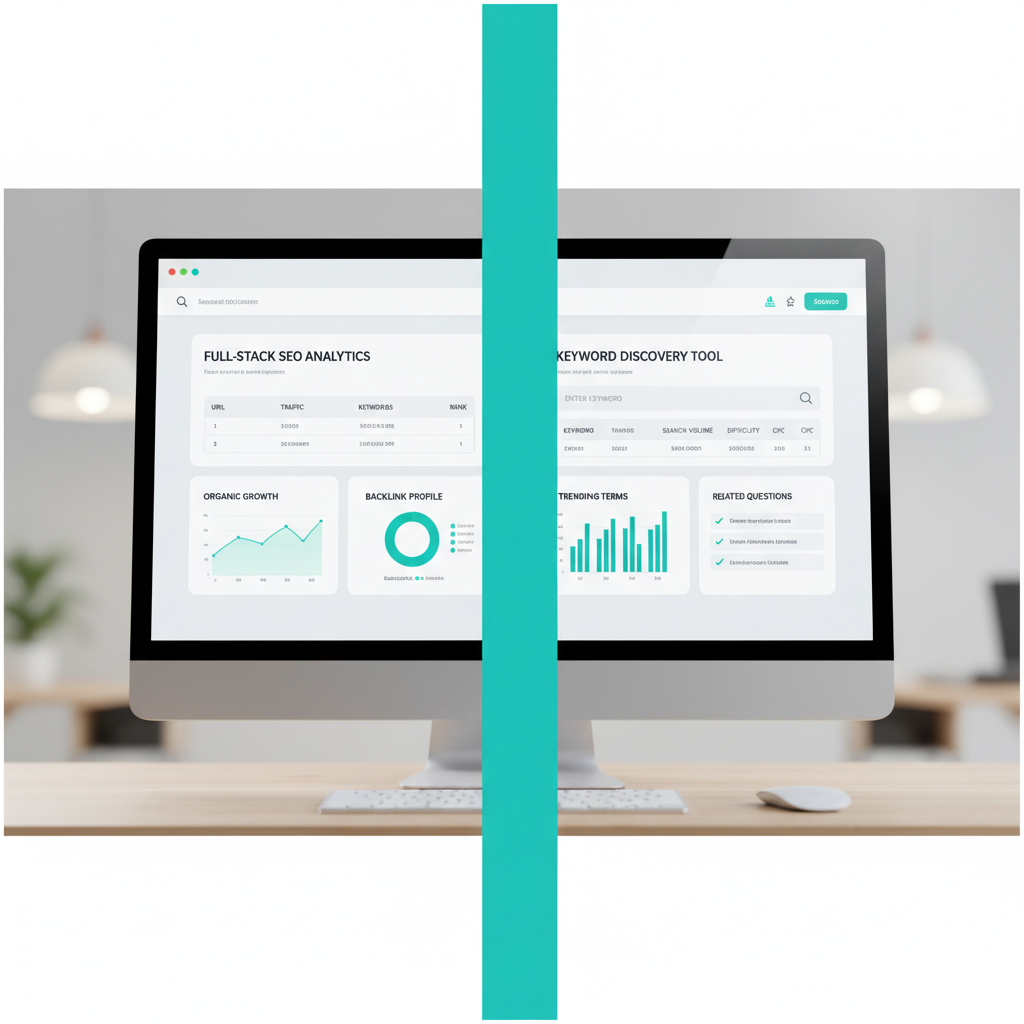
    Two software UI panels side by side on one screen, divided by a bold vertical line: left panel is a dashboard/table/chart for "built for full-stack SEO" (repres

    Ahrefs and KWFinder solve different problems, and the gap between them is wider than most comparison posts admit.

    Ahrefs: built for full-stack SEO

    Ahrefs earns its place on professional teams through the depth of its toolset. Site Explorer gives you a complete picture of any domain’s backlink profile, organic traffic estimates, and top-performing pages. Run it on a competitor and you can see exactly which pages earn the most links and why. Content Explorer lets you search across billions of indexed pages to find high-performing content by topic, making it genuinely useful for editorial planning, not just keyword research.

    Site Audit crawls your site and surfaces technical issues ranked by severity, from broken internal links to slow Core Web Vitals. The Content Gap tool is where Ahrefs pulls ahead for competitive strategy: you enter your domain alongside two or three competitors, and it returns every keyword they rank for that you don’t. That list alone can drive a quarter’s worth of content priorities.

    For agencies, Ahrefs also supports white-label reporting and API access, which means you can pipe data into your own dashboards or client-facing reports without manually exporting spreadsheets.

    KWFinder: purpose-built for keyword discovery

    KWFinder takes a narrower focus and executes it well. Its core strength is surfacing long-tail keyword opportunities with low competition scores, presented in a clean interface that doesn’t require a training session to use. Type in a seed term and you get search volume, trend data, and a keyword difficulty score in seconds.

    The local SEO angle is where KWFinder genuinely differentiates. You can filter keyword results by country, region, or city, which makes it practical for businesses targeting specific markets rather than national audiences. A plumber in Austin gets more useful data from a city-level search volume breakdown than from a broad national average.

    KWFinder does offer rank tracking and basic SERP analysis, but its integrations are limited compared to Ahrefs. There’s no API access and no white-label output, so it doesn’t fit neatly into an agency reporting workflow.

    Where each tool fits

    Capability Ahrefs KWFinder
    Backlink analysis Yes, full suite No
    Site audit Yes No
    Long-tail keyword discovery Yes Yes, core focus
    Local keyword filtering Limited Yes
    Content Gap analysis Yes No
    White-label reporting Yes No
    API access Yes No

    Teams that need site audits, backlink analysis, and content gap workflows will find KWFinder too narrow for the job. KWFinder earns its keep for solo operators or small teams whose primary need is finding low-competition keywords fast, without paying for tools they’ll never open.

    Ease of use: interface and learning curve

    Ahrefs: advanced, feature-rich interface

    Ahrefs gives you a powerful workspace, but you need time to learn where each report fits. Its interface connects keyword research with backlink analysis, site audits, rank tracking, and competitor research, so the workflow rewards users who investigate SEO questions from several angles.

    You might start with a page in Site Explorer, review its organic keywords, check the search volume and keyword difficulty behind a query, then inspect the links competing pages have earned. That chain supports deeper decisions, but it requires more navigation and a clearer process.

    The learning curve is real. New users can feel overwhelmed by the number of reports, filters, and data views available. Once you know your regular paths through the platform, Ahrefs becomes efficient for recurring analysis and larger SEO projects.

    KWFinder: streamlined for quick keyword research

    KWFinder makes keyword discovery easier to approach. Its clean layout keeps the focus on entering a seed term, reviewing related and long-tail ideas, and comparing search volume with keyword difficulty before you choose a target.

    That makes it faster for a one-off task, such as checking whether a new blog topic has realistic ranking potential. You can move from a broad phrase to a focused keyword list without first deciding which larger SEO report to open.

    KWFinder is the better fit when keyword research is a contained task. Ahrefs is stronger when that keyword must lead into link research, content review, or a wider site audit.

    Pricing and value for small businesses

    KWFinder: built for the budget-conscious

    KWFinder starts at a lower monthly price than Ahrefs, which makes it the natural first stop for freelancers and small business owners who need solid keyword research without committing to an enterprise-level bill. The entry plan covers core tasks: finding long-tail opportunities, checking keyword difficulty, and tracking rankings for a handful of domains. For a local service business or a niche content site, that is often enough.

    Mangools (KWFinder’s parent suite) also bundles rank tracking and basic site auditing at that entry price. You are not paying separately for features you will use every week. That bundling matters when every line item on a SaaS invoice gets scrutinized.

    Support is a genuine differentiator here. KWFinder’s live chat and email support consistently receives praise for fast, specific responses, not templated replies. For a small business owner who hits a wall configuring a campaign on a Friday afternoon, that direct assistance has real operational value.

    Ahrefs: more firepower per dollar at scale

    Ahrefs costs more upfront, but the per-feature value shifts decisively in its favor once your needs expand beyond keyword research alone. A single Ahrefs subscription gives you backlink analysis across a massive link index, full site audit crawling, rank tracking, and search volume data across multiple countries, all in one place. Agencies managing five or more client sites will find that consolidation alone justifies the price difference.

    Consider a concrete scenario: an agency running monthly SEO reports for clients needs backlink data, site health scores, and keyword rankings in one workflow. Pulling that from KWFinder plus separate tools adds up in both cost and time. Ahrefs absorbs all of it natively.

    The tradeoff is real, though. If your operation is a single site and keyword discovery is your primary job, paying for Ahrefs’ full feature set means leaving most of what you bought unused. That is not value; it is overhead.

    How to choose based on your budget

    The decision comes down to scope, not quality. Both tools do keyword research well.

    • Choose KWFinder if you run one to three sites, prioritize affordability, and want responsive support without navigating a large help center.
    • Choose Ahrefs if you manage multiple clients, need backlink analysis and site audits as part of a regular workflow, and can absorb a higher monthly cost in exchange for fewer tool-switching headaches.

    Neither choice is wrong. The wrong move is paying for Ahrefs when you only need long-tail keyword ideas, or staying on KWFinder when your agency work demands the depth that only a full-scale SEO platform provides.

    Which tool fits your workflow?

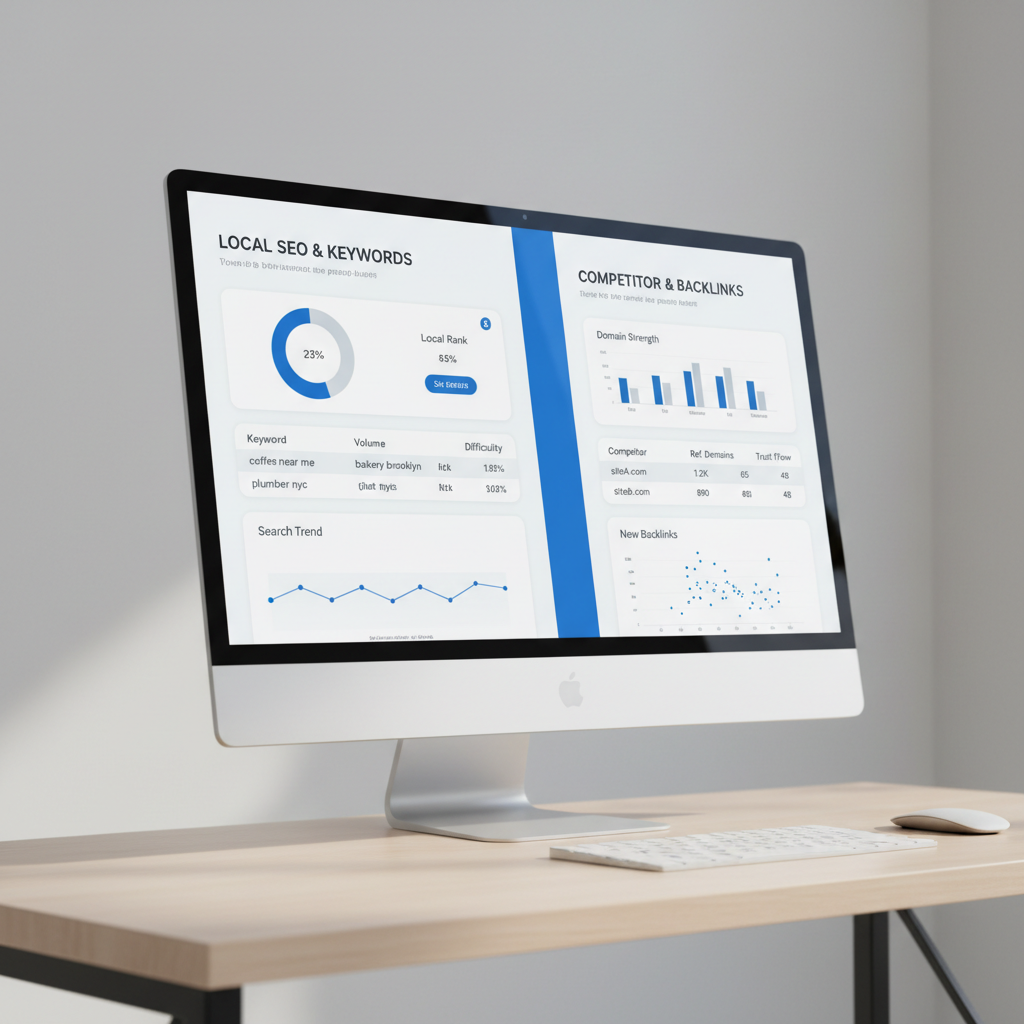
    Two software UI panels side by side on one screen, divided by a bold vertical line: left panel is a dashboard/table/chart for "Local SEO and quick keyword resea

    Your workflow should drive the choice, not the feature list.

    Local SEO and quick keyword research

    KWFinder earns its place for local and small-business SEO. Its keyword difficulty scores are straightforward to read, and the interface lets you filter by country, region, or city without digging through settings. If you run a campaign for a regional plumber and need to find low-competition long-tail phrases fast, KWFinder surfaces those opportunities in a few clicks. The search volume data is clear, the UI stays out of your way, and you are not paying for backlink infrastructure you will never touch.

    Competitor analysis and backlink audits

    Ahrefs is the right call the moment a client asks why competitors are outranking them and what it would take to close the gap. Its Site Explorer maps a competitor’s entire backlink profile, shows referring domain growth over time, and flags the pages earning the most links. That kind of audit is genuinely difficult to replicate in KWFinder, which does not offer comparable backlink analysis depth. For a content site trying to understand why a rival’s pillar page dominates a category, Ahrefs gives you the data to build a real answer.

    Agency reporting and automation

    Agencies running multiple clients benefit from Ahrefs’ breadth. Rank tracking, site audits, and keyword research all live inside one platform, which cuts the time spent exporting from one tool and importing into another. Site Audit crawls technical issues across client domains and flags them in a shared dashboard, so you can walk into a review call with a prioritized fix list rather than a spreadsheet of raw data. KWFinder does not offer that kind of workflow integration.

    A practical way to think about it:

    • KWFinder fits solo consultants, local SEO specialists, and anyone whose primary need is fast, affordable keyword research.
    • Ahrefs fits agencies, in-house SEO teams, and anyone who needs backlink analysis, technical audits, and rank tracking under one roof.

    If budget is tight and your work stays focused on keyword discovery, KWFinder is the leaner, cheaper choice. If your work regularly involves diagnosing why a site is losing ground to competitors, Ahrefs pays for itself in the hours it saves.

    When to consider Seobase for SEO automation

    If your team spends more time managing SEO tools than acting on their output, Seobase is worth a serious look. Where standalone tools like Ahrefs or KWFinder each handle a slice of the workflow (keyword research here, backlink analysis there, rank tracking somewhere else), Seobase connects those steps automatically rather than requiring a human to ferry data between them.

    The practical difference shows up in how a content brief gets made. With a fragmented stack, you might pull search volume and keyword difficulty from one tool, cross-reference long-tail opportunities in another, then manually paste findings into a doc before anyone writes a word. Seobase compresses that into a single automated pipeline, from initial keyword discovery through content generation to publishing.

    Where the integration actually matters

    Seobase connects directly to WordPress, Shopify, Webflow, Framer, Wix, and Ghost CMS. That list covers most teams running content at scale. The connection means a finished article can move from draft to published without leaving the platform, which removes a category of error (wrong formatting, missed metadata, broken slugs) that tends to accumulate when people copy-paste between tools.

    For an e-commerce team on Shopify, that matters more than it might sound. Product-led content often requires publishing dozens of pages targeting similar long-tail queries. Doing that manually is slow and inconsistent. Automating the keyword-to-publish path keeps output volume high without proportionally growing the team.

    The right fit

    Seobase suits teams that have already decided what they want SEO to do and need execution speed, not teams still figuring out strategy. If you need deep, auditable site audit data, granular backlink analysis, or a keyword explorer that lets you interrogate a niche from every angle, a dedicated research tool still has the edge. Seobase trades some of that analytical depth for workflow automation. That is a reasonable tradeoff when publishing velocity is the constraint, not insight.

    Summary: picking the best SEO tool for you

    Choose Ahrefs when you need deep analysis across backlink profiles, competitor pages, site audits, and rank tracking. It suits teams that need to trace why a page ranks, compare referring domains, and validate a keyword opportunity beyond search volume and keyword difficulty.

    Choose KWFinder when you want a simpler keyword research workflow. You can start with a long-tail query, review its difficulty and search volume, then build a focused content list without moving through a large audit or backlink interface.

    Try both before you commit. The Ahrefs vs KWFinder decision comes down to whether your next task is broad SEO investigation or fast, clear keyword selection.

    Need less manual work? Consider Seobase for full automation across your recurring SEO tasks.

    Skip the manual work. Seobase runs keyword research, briefs, drafting, internal linking, and publishing in one workflow — from first keyword to published post, without the busywork. Try Seobase →

    Frequently asked questions

    Which is better for beginners: Ahrefs or KWFinder?

    KWFinder is generally better for beginners due to its clean interface and simple workflow. It helps users quickly find long-tail and local keywords without overwhelming options. Ahrefs is more powerful but has a steeper learning curve.

    How do Ahrefs and KWFinder calculate keyword difficulty differently?

    Ahrefs calculates keyword difficulty based on the number and quality of backlinks to top-ranking pages. KWFinder uses a blended score, factoring in Link Profile Strength and Moz’s Domain and Page Authority.

    Is KWFinder accurate for local SEO keyword research?

    Yes, KWFinder is well-suited for local SEO. It allows users to target specific locations and languages, making it easy to discover local search terms and long-tail keywords relevant to small businesses.

    What features does Ahrefs have that KWFinder lacks?

    Ahrefs offers advanced features like Site Explorer, Content Explorer, Site Audit, and Content Gap analysis. It also provides a massive backlink index, white-label reporting, and API access, which KWFinder does not.

    How much does Ahrefs cost compared to KWFinder?

    KWFinder starts at a lower monthly price, making it more budget-friendly for individuals and small businesses. Ahrefs is more expensive but offers a broader feature set, making it a better value for agencies and power users.

    Can KWFinder analyze backlinks like Ahrefs?

    KWFinder offers basic backlink analysis through its LinkMiner tool, but Ahrefs provides much deeper and more comprehensive backlink data, with a larger index and more advanced filtering options.

    Which tool is better for agencies vs. small businesses?

    Agencies benefit from Ahrefs’ advanced features, automation, and reporting. Small businesses and solo users often prefer KWFinder for its simplicity and lower cost.

    Does either tool offer a free trial or demo?

    KWFinder offers a 10-day free trial. Ahrefs does not offer a paid trial but provides a set of free tools, including a Keyword Generator and Backlink Checker, that let you evaluate data quality before subscribing.

    Related reading

  • How to Automate SEO Reports to Clients for Maximum Efficiency

    How to Automate SEO Reports to Clients for Maximum Efficiency

    automate seo reports to clients

    If you run an agency or a growing SaaS company, you know the “reporting cycle” dread. It is that time of the month when you stop doing actual SEO work to spend dozens of hours pulling data from Google Search Console, Ahrefs, SEMrush, and Google Analytics into a spreadsheet.

    Manual reporting is a silent killer of profitability. It eats up your most valuable resource—time—and increases the margin for human error. When you automate SEO reports to clients, you aren’t just saving time; you are ensuring that your clients receive consistent, accurate, and professional insights that prove your value.

    In this guide, we will explore how to transition from manual data entry to a streamlined, automated reporting workflow.

    1. The Growing Challenge of Manual SEO Reporting

    As an SEO professional, your goal is to drive growth. However, as your client list grows, the complexity of your reporting scales exponentially.

    Manual reporting usually involves:

    • Logging into five different tools.
    • Exporting CSV files.
    • Manually calculating month-over-month changes.
    • Formatting charts in Google Slides or Excel.
    • Writing manual commentary to explain why traffic went up or down.

    This process is unsustainable. If you have ten clients, you might spend 20 hours a month just on reports. If you have fifty clients, you effectively need to hire a full-time employee just to manage data entry. This prevents you from focusing on high-level strategy and content execution.

    2. Why You Need to Automate SEO Reports to Clients

    Automation isn’t about removing the human element; it is about removing the “grunt work” so you can focus on the “thinking work.” Here is why automation is a necessity:

    Feature Manual Reporting Automated Reporting
    Accuracy High risk of copy-paste errors Data is pulled directly via API
    Speed Hours or days per report Real-time or scheduled delivery
    Consistency Report formats vary by mood/time Uniform, professional branding
    Scalability Harder to grow without more staff Scale clients without increasing overhead
    Insights Reactive (looking at what happened) Proactive (spotting trends instantly)

    By automating the data collection, you can spend your energy on the “why” behind the numbers. Instead of saying, “Traffic went up 10%,” you can say, “Traffic went up 10% because our new content strategy targeted high-intent long-tail keywords.”

    3. Key Metrics Every Client Report Must Include

    A common mistake is “data dumping.” Sending a 50-page PDF full of every metric imaginable will only confuse your client. A good report should tell a story.

    To keep your clients happy, focus on these core pillars:

    1. Business Impact: Conversions, leads, or sales driven by organic search.
    2. Visibility: How often the brand appears in the SERP.
    3. Growth Trends: Organic traffic and keyword movement.
    4. Health Metrics: Technical SEO and site audits results.

    4. Tracking Organic Traffic and Keyword Performance

    The two most important metrics for most clients are organic traffic and keyword rankings.

    Organic Traffic

    This is the “bottom line” metric. Clients want to see the upward trend of users arriving via non-paid search results. When reporting this, always segment the data. Show them the difference between “New Users” and “Returning Users” to demonstrate brand authority.

    Keyword Performance

    Tracking individual keyword movements is vital for showing progress on specific targets. However, don’t just report on single terms. Group them into “clusters.” For example, instead of saying “You moved from position 5 to 3 for ‘best coffee maker’,” say “Your ‘Coffee Maker Reviews’ cluster saw a 20% increase in visibility.”

    5. Analyzing SERP Rankings and Search Visibility

    Ranking #1 for a single term is great, but it doesn’t tell the whole story. You need to report on SERP visibility.

    The SERP (Search Engine Results Page) is no longer just a list of ten blue links. It includes:

    • Featured Snippets
    • People Also Ask (PAA) boxes
    • Local Map Packs
    • Video Carousels

    An automated report should ideally show how your client is capturing “real estate” on the SERP. If they aren’t ranking #1 but are winning the Featured Snippet, that is a massive win that needs to be highlighted.

    6. The Role of Technical SEO and Site Audits

    You can have the best content in the world, but if Google cannot crawl your site, you will never rank. This is why technical SEO and site audits must be a recurring part of your reporting.

    Clients often don’t understand why SEO takes time. Including a “Site Health Score” in your automated report provides a tangible metric that justifies your technical work. It shows that you are constantly cleaning up the “engine” of their website to ensure it runs smoothly.

    7. Identifying Technical SEO Issues and Core Web Vitals Problems

    When performing audits, your reports should specifically call out actionable technical SEO issues. Common issues include:

    • Broken links (404 errors).
    • Duplicate content issues.
    • Missing meta descriptions or header tags.
    • Crawl errors in robots.txt.

    Furthermore, since the introduction of Page Experience updates, you must monitor core web vitals problems. If a site has high LCP (Largest Contentful Paint) or CLS (Cumulative Layout Shift) scores, it can suppress rankings. Automating the detection of these problems allows you to alert clients (or their developers) immediately, rather than waiting for a monthly meeting to discover a sudden drop in rankings.

    8. Monitoring Backlinks and Link Building Progress

    SEO is a multi-faceted discipline, and authority building is a huge part of it. Your reports should include a section dedicated to backlinks.

    Clients want to see:

    • New Backlinks Acquired: A list of high-authority sites that linked to them.
    • Referring Domains: The total number of unique websites pointing to them.
    • Domain Authority/Rating: An indicator of the site’s overall strength.

    By tracking backlinks automatically, you can prove the ROI of your outreach efforts and ensure that no toxic links are harming the site’s reputation.

    9. The Importance of Internal Linking in Your Reports

    While often overlooked, internal linking is a powerful lever for SEO. It helps distribute “link juice” (authority) throughout the site and helps Google understand the site structure.

    In your reports, you can highlight how your internal linking strategy is helping specific “money pages” rank better. For example: “By adding three internal links from high-traffic blog posts to our product page, we saw a 5% lift in product page impressions.” This shows the client that your strategy is cohesive and intentional.

    10. Building a Scalable Reporting Workflow for Your SaaS Company

    If you are running a SaaS company or an agency, you need a workflow that scales. A scalable workflow follows this logic:

    graph TD
        A[Data Sources: GSC, GA4, Ahrefs] --> B[Data Aggregator/API]
        B --> C[Automated Dashboard/Template]
        C --> D[Human Review & Commentary]
        D --> E[Automated Email Delivery to Client]
    
    1. Centralize Data: Use tools that pull from multiple APIs.
    2. Standardize Templates: Every client should receive a report with the same structure, even if the data differs.
    3. Automate the “What”: Let the software show the charts and numbers.
    4. Humanize the “Why”: Spend your limited time writing the executive summary.

    11. Tools to Streamline Your SEO Reporting Process

    There are several ways to approach automation depending on your budget and technical skill:

    Tool Type Examples Best For
    All-in-One SEO Suites SEMrush, Ahrefs Deep data, keyword/backlink tracking
    Data Visualization Looker Studio (formerly Google Data Studio) Creating beautiful, custom dashboards
    Reporting Automation Supermetrics, AgencyAnalytics Pulling data from various sources into one place
    Content Automation Seobase Automating the content that drives the metrics

    12. How Seobase Simplifies Content-Driven SEO Reporting

    The biggest challenge in SEO reporting is often explaining why certain metrics haven’t moved yet. This usually happens because the content engine isn’t running fast enough.

    Seobase solves the root cause of poor SEO reports: a lack of content and authority. Instead of spending your time reporting on stagnant growth, Seobase helps you create the growth that you will eventually report on.

    Seobase is an SEO automation platform designed to handle the heavy lifting of content production:

    • Automated Keyword Research: Find the terms that will actually move the needle in the SERP.
    • AI Article Writing & CMS Publishing: Automatically generate and publish high-quality content to WordPress, Webflow, Shopify, and more.
    • Backlink Exchange: Build the authority needed to improve your backlinks profile.
    • Content Calendar Generation: Ensure a consistent publishing cadence, which leads to more predictable and impressive monthly reports.

    When you use Seobase, your monthly reports become a celebration of growth rather than a defensive explanation of stagnation.

    13. Common Mistakes to Avoid in Client Reporting

    Even with automation, you can still fail at reporting. Avoid these pitfalls:

    • Too Much Jargon: Don’t talk about “canonicalization issues” to a CEO. Talk about “duplicate content affecting visibility.”
    • Ignoring the “Why”: A chart showing a drop in traffic without an explanation is a recipe for a panicked client. Always provide context.
    • Missing the Big Picture: Don’t get bogged down in micro-metrics. Always tie your findings back to the client’s business goals (leads, sales, revenue).
    • Lack of Action Items: A report should never just be a look backward. It should always include a “Next Steps” section.

    14. Conclusion: Saving Time While Increasing Client Retention

    To automate SEO reports to clients is to move from being a “vendor” to being a “partner.” When you provide clear, automated, and insightful data, you build trust. You show that you are organized, data-driven, and focused on their success.

    By automating the collection of data regarding keyword rankings, backlinks, internal linking, and technical SEO and site audits, you free yourself to do what actually matters: growing your clients’ businesses.

    Stop fighting with spreadsheets. Automate your data, scale your content with tools like Seobase, and spend your time on strategy, not manual entry.

    Next step

    Ready to stop worrying about stagnant SEO metrics and start seeing real growth in your reports? Try Seobase today to automate your keyword research, content creation, and publishing workflows.

  • Content Marketing Solutions That Are SEO-Focused: 2026 Buyer’s Guide

    Content Marketing Solutions That Are SEO-Focused: 2026 Buyer’s Guide

    content marketing solutions that are seo-focused matter because more publishing does not mean more growth. If Google cannot match your content to target audience search intent, another blog post becomes more work, not a path to strategic growth.

    The old playbook was simple: publish more content, add a few keywords, and wait. That no longer works well when Google rewards helpful pages, clear structure, strong user experience, and topical depth.

    A plumbing company is a good example. Instead of writing broad service blogs, it used geo-targeted local city pages for specific service areas. That is content marketing and SEO working as one system, not two separate tasks.

    The real buyer problem is workflow, not word count. Teams need content marketing solutions that are SEO-focused because manual keyword research, brief writing, internal linking, and publishing checks slow down every campaign.

    Old content workflow

    SEO-focused content workflow

    Pick topics from team opinions

    Use keyword research and target audience search intent

    Write one-off blog posts

    Build topic clusters tied to Google demand

    Check SEO after writing

    Plan SEO before drafting

    Track traffic only

    Connect SEO and lead generation to pipeline goals

    Publish manually

    Automate research, briefs, and content operations

    In practice, SEO success comes from effective integration. A B2B team should connect content marketing and seo, its lead generation efforts, and publishing operations in one repeatable workflow.

    That means you do not just conduct thorough keyword research once. You need dynamic keyword research that refreshes topics, finds content gaps, and shows where competitors are gaining search visibility.

    Tools like SEMrush can help with content gap analysis, keyword opportunities, site audits, and reporting. But teams still need a system that turns those findings into briefs, pages, and updates without weeks of manual work.

    This is where Seobase fits automation-heavy SEO content operations. It helps teams move from research to execution faster, which matters when the backlog includes landing pages, blog clusters, updates, and internal links.

    Think of SEO and lead generation as search engine optimization (SEO) experts do: search demand is only useful when it maps to buyers. The best systems connect keywords, content, user experience, and conversion paths.

    That is also why buyers compare tools with agencies, including the top saas content marketing agencies. Agencies can bring strategy and production, while software like Seobase can reduce the repeated research and publishing work behind each campaign.

    If you are comparing options, start with content marketing solutions that are seo-focused. The right choice should help your team plan, create, optimize, and measure content around strategic growth, not just publish more pages.

    What Makes a Solution SEO-Focused

    A solution is SEO-focused when it starts with search intent, not editorial preference. It should prove what your target audience search intent is before anyone writes a headline, brief, or draft. That means keyword research, SERP review, competitor gaps, and conversion goals guide the content plan.

    Use this as the selection test for Content Marketing Solutions That Are SEO-Focused: 2026 Buyer’s Guide: the workflow must connect research, briefs, optimization, publishing, and measurement. If a vendor only offers “blog posts per month,” it lacks the operating discipline needed for seo success.

    Selection criterion

    What an SEO-focused solution does

    Red flag

    Search intent

    Maps each topic to a buyer question, SERP type, and next action

    Picks topics from a content calendar alone

    Research

    Uses keyword research, competitor review, and content gap analysis

    Sends briefs without SERP evidence

    Briefs

    Defines angle, structure, internal links, FAQs, and conversion path

    Gives writers only a title and word count

    Optimization

    Improves metadata, headings, internal links, and user experience

    Treats SEO as a final checklist

    Measurement

    Tracks rankings, leads, conversion rate, and revenue impact

    Reports only pageviews or published posts

    A strong process should include comprehensive keyword research conduct thorough keyword research across buyer stages, not just high-volume terms. In practice, a team might use SEMrush to find content gaps, keyword opportunities, site audit issues, and campaign reporting data before it assigns the first draft.

    The best content marketing solutions that are seo-focused tie every asset to a business outcome. A comparison page may target rankings and conversions, while a local landing page may support lead generation. That is how content marketing and seo work together instead of sitting in separate reports.

    A concrete example: Thrive reported that geo-targeted local city pages helped a plumbing company increase site traffic by 81%. That tactic worked because the content matched local service-area intent, not because the company published generic plumbing tips.

    Another example is a boutique M&A advisor that used industry-specific content to improve search visibility. Thrive reported +173% Top 5 keywords and +98% organic traffic year over year for that campaign. The lesson is simple: specific intent beats broad blogging.

    Regular blogging often fails because it treats publishing as the goal. An SEO-focused system treats publishing as one step between research and measurement. The real targets are rankings, its lead generation efforts. conversion rate, sales pipeline, and revenue impact.

    Ask vendors how they handle seo and lead generation as search engine optimization (seo) experts, not just writers or editors. They should explain how a page earns traffic, answers intent, supports user experience, and moves a buyer toward action.

    Dynamic keyword research also matters because SERPs change. A topic that looked strong last quarter may now need a comparison angle, a pricing section, or a stronger FAQ. This is why the top saas content marketing agencies. review performance data after publishing, not only before writing.

    The 2026 SEO Content Solution Framework

    Use the 2026 SEO Content Solution Framework to score every content program before you buy tools, hire writers, or approve briefs. It grades strategy, research, production, governance, and reporting, then adds two review gates most teams miss: information gain and AI search readiness for Google results.

    This works for both in-house teams and buyers comparing Content Marketing Solutions That Are SEO-Focused: 2026 Buyer’s Guide. It also helps you judge the top saas content marketing agencies without relying on polished sales decks.

    Framework area

    What to score

    Approval test

    Strategy

    Business goal, target audience search intent, funnel fit, and offer match

    Does the content support sales, retention, or its lead generation efforts.

    Research

    keyword research, SERP review, competitor gaps, and Google result types

    Did the team use comprehensive keyword research conduct thorough keyword research before writing?

    Production

    Brief quality, SME input, examples, visuals, and user experience

    Does the draft answer the query better than the current ranking pages?

    Governance

    Ownership, legal review, brand rules, refresh plans, and e-e-a-t proof

    Can an editor verify each claim, author, and source?

    Reporting

    Rankings, organic traffic, assisted leads, conversions, and content decay

    Does reporting show what to keep, update, merge, or remove?

    Add information gain scoring before any brief moves into production. A brief should show what the article adds, such as proprietary process steps, expert quotes, original screenshots, pricing notes, case examples, or a clearer comparison table than the current Google results.

    A common mistake is treating keyword research as the full strategy. Better teams use dynamic keyword research, content gap analysis, site audits, and campaign reporting in tools like SEMrush, then map each topic to target audience search intent.

    Build an E-E-A-T evidence inventory before drafting. For each content asset, store the author’s credentials, SME notes, first-hand examples, screenshots, customer proof, source links, and review dates in one shared tracker.

    For example, a boutique M&A advisor used industry-specific content and reported +173% Top 5 Keywords and +98% organic traffic year-over-year, according to Thrive. That is the kind of proof your inventory should preserve, because it connects expertise to measurable search outcomes.

    Include AI search readiness in every solution review. Check whether the content gives Google clear entities, concise answers, cited facts, comparison tables, author context, and structured sections that can support AI-generated summaries.

    For local or service-area campaigns, test the same framework against city pages. Thrive reported that geo-targeted local city pages helped a plumbing company improve search rankings and increase site traffic by 81%, which shows how specific content can support local SEO and lead generation.

    Treat seo and lead generation as search engine optimization (seo) experts, not as separate workstreams. The best content marketing solutions that are seo-focused connect strategies, research, content production, governance, and reporting to one question: will this page help the right buyer take the next step?

    Workflow From Keywords to Published Pages

    Once the final revision pass is clean, turn the content plan into a repeatable publishing workflow. Strong content marketing solutions that are seo-focused move from keyword research to briefs, drafts, review, optimization, internal linking, publishing, and refreshes based on real search data.

    Start with topics, gaps, and competitor coverage

    Begin with topic research tied to the buyer’s problem, not a random keyword list. A marketing team can use SEMrush for content gap analysis, keyword opportunities, site audits, and campaign reporting.

    Look for what competitors rank for, what they missed, and where your offer has a stronger answer. For example, a plumbing company used geo-targeted local city pages as an SEO content tactic, and Thrive reported an 81% increase in site traffic.

    Do not force awkward keyword strings into copy. Phrases like “comprehensive keyword research conduct thorough keyword research” should guide optimization notes, not appear as buyer-facing text.

    Map briefs to intent and SERP features

    Each brief should define the target audience search intent, the primary query, supporting questions, and the serp features you want to win. If the SERP shows People Also Ask, comparison tables, or local packs, the brief should tell the writer exactly how to answer those formats.

    Use dynamic keyword research when the market changes often, such as SaaS, finance, healthcare, or local services. In practice, this means checking the SERP again before drafting, not relying on a stale export.

    Workflow step

    What to check

    Concrete output

    Topic research

    Buyer pain, product fit, competitor gaps

    Topic cluster or page list

    Keyword research

    Primary term, variants, difficulty, intent

    Keyword map

    SERP review

    Featured snippets, PAA, local packs, videos

    Brief structure

    Drafting

    Proof, examples, expert input

    First draft

    Optimization

    Titles, headings, internal links, UX issues

    Publish-ready page

    Refresh

    Rankings, clicks, conversions, decay

    Updated page

    This is how seo and lead generation as search engine optimization (seo) experts, should work together. The page should answer the query, support the buyer journey, and help the company improve its lead generation efforts.

    Write, review, optimize, link, then publish

    The draft should follow the brief, but it should not read like a keyword checklist. Good content explains the topic clearly, shows product relevance, and improves user experience with short sections, examples, and scannable formatting.

    Review the page for accuracy, intent match, and conversion fit before publishing. A boutique M&A advisor used industry-specific content, and Thrive reported +173% Top 5 keywords and +98% organic traffic year over year.

    Optimization should include title tags, meta descriptions, headings, schema where useful, image alt text, and internal linking from related pages. For example, a buyer’s guide can link to Content Marketing Solutions That Are SEO-Focused: 2026 Buyer’s Guide when readers need help comparing tools, agencies, workflows, and KPIs.

    Refresh pages when performance signals show content decay

    Content decay happens when a page loses rankings, clicks, conversions, or relevance after competitors publish better answers. You spot it in tools like Google Search Console, SEMrush, Ahrefs, or your analytics platform.

    Refresh the page by updating facts, adding missing SERP sections, improving examples, and tightening the internal links. If a page lost visibility for a comparison query, add a clearer table, stronger product criteria, and fresher competitor coverage.

    This workflow is also how buyers judge the top saas content marketing agencies. The best content marketing programs do not stop at publishing; they keep improving pages based on search demand, buyer intent, and performance signals.

    Agency, In-House, Freelance, or Platform

    Choose the buying model by matching the work to the team gap. Agencies fit strategy gaps and outsourced execution, in-house teams fit brand control, freelancers fit flexible production, and platforms fit scalable workflow and CMS publishing.

    Buying option

    Best fit

    Watch for

    Good evaluation question

    Agency

    You need strategy, planning, production, and reporting in one place

    Generic playbooks that miss your market

    Can they show a content brief, SEO process, and reporting sample?

    In-house team

    You need deep brand control and subject expertise

    Hiring gaps across SEO, writing, design, and analytics

    Who owns keyword research, approvals, and publishing?

    Freelancer

    You need flexible content production

    More management, editing, and QA from your team

    Can they write from a brief and match your examples?

    Platform

    You need repeatable workflow, assignments, and CMS publishing

    Weak strategy if the platform only manages tasks

    Does it connect briefs, review, publishing, and performance data?

    Agency: best when strategy and execution are both missing

    Use an agency when you need content marketing and SEO support beyond writing. Strong agencies handle positioning, keyword research, briefs, editing, technical SEO checks, and reporting against pipeline or traffic goals.

    This route fits teams that need content marketing solutions that are seo-focused but lack search engine optimization skills in-house. For example, Thrive reports that a boutique M&A advisor used industry-specific content to gain +173% Top 5 Keywords and +98% organic traffic year over year.

    A common mistake is hiring an agency only for volume. Here is what actually moves the needle: ask how they map target audience search intent to pages, offers, and its lead generation efforts.

    If you compare the top saas content marketing agencies, look for evidence of SaaS-specific work. A good partner can explain product-led content, competitor gaps, demo intent, and how content supports trials or sales calls.

    In-house: best when brand control matters most

    Build in-house when your content needs deep product knowledge, legal review, customer context, or founder-level point of view. This model works well for technical products, regulated markets, and brands where every page affects trust.

    In practice, an in-house team gives you tighter control over voice, examples, and user experience. A product marketer can update a feature page the same week a release ships, while an outside vendor may need a new brief and approval cycle.

    The tradeoff is coverage. One in-house hire rarely covers comprehensive keyword research, editing, analytics, SME interviews, and CMS work at the same level as a full content team.

    Freelance: best for flexible production

    Freelancers are a strong fit when you already have strategy but need more writing, editing, design, or subject-matter support. They are often the cleanest option for blog posts, landing page drafts, email copy, and expert interviews.

    You will need stronger management. Someone on your team must create the brief, provide examples, check claims, manage revisions, and confirm the content matches search intent before it goes live.

    For example, your marketer can use SEMrush for content gap analysis, keyword opportunities, site audits, and campaign reporting. Then a freelancer can turn that brief into a draft built around the chosen query and buyer stage.

    Platform: best for scale, workflow, and CMS publishing

    Use a platform when the bottleneck is process, not ideas. Platforms help teams assign work, manage review stages, store briefs, track status, and push approved digital content into CMS publishing.

    This model is strongest when you need effective integration across writers, editors, SEO managers, and web teams. For example, a platform can connect a keyword brief, draft review, approval, and WordPress publishing in one workflow.

    Platforms also support strategic growth when they make repeatable execution easier. If your team publishes across product pages, blogs, and local pages, the platform should show who owns each step and where delays happen.

    How to choose without overbuying

    Start with the missing capability, not the vendor category. If you lack strategy, hire an agency; if you lack brand depth, hire in-house; if you lack production, hire freelancers; if you lack process, use a platform.

    For local SEO, the buying model matters less than the tactic and execution. Thrive reports that a plumbing company used geo-targeted city pages to improve rankings and increase site traffic by 81%.

    For search-led programs, ask each option how they conduct thorough keyword research and refresh it with dynamic keyword research when rankings, competitors, or buyer terms change. Good answers include source data, SERP review, content gaps, and a clear publishing plan.

    If you are comparing broader Content Marketing Solutions That Are SEO-Focused: 2026 Buyer’s Guide, use the same test for every option: strategy quality, workflow control, CMS fit, reporting, and proof that content supports seo and lead generation as search engine optimization (seo) experts, not just writers.

    Tool Stack for SEO-Driven Content Operations

    Your SEO tool stack should group tools by job: research, optimization, and analytics. Research tools show gaps and competitors. Optimization tools improve structure, technical SEO, and on-page signals. Analytics tools connect rankings, traffic, and conversions, so the team can prove SEO success.

    Tool category

    What it helps you do

    Common examples

    What to connect it to

    Research tools

    Find topics, gaps, competitors, and target audience search intent

    SEMrush, Ahrefs, Google Search Console

    Editorial calendar and content briefs

    Optimization tools

    Improve headings, internal links, schema, page speed, and user experience

    Screaming Frog, Surfer, Clearscope, Yoast

    CMS, QA checklist, and technical SEO backlog

    Analytics tools

    Track rankings, organic traffic, assisted conversions, and form fills

    GA4, Looker Studio, HubSpot, Salesforce

    Revenue reports and its lead generation efforts.

    Start with keyword research, but keep it tied to real pages and real buyers. A marketing team can use SEMrush for content gap analysis, keyword opportunities, site audits, and campaign reporting. That is stronger than collecting keywords in a spreadsheet no one uses.

    Avoid stuffing phrases into live copy. For example, “comprehensive keyword research conduct thorough keyword research” reads forced and hurts trust. A cleaner version is: “Conduct thorough keyword research to match each page with search intent, buyer stage, and conversion goal.”

    In practice, dynamic keyword research works best when you refresh topics after rankings, SERP features, and competitors change. If a competitor wins a featured snippet with a comparison table, your next edit may need a tighter definition, a clearer table, or better schema. That is a workflow issue, not just a writing issue.

    Optimization tools help turn research into usable content. They flag missing headings, thin sections, weak title tags, slow pages, and poor internal links. They also help improve user experience, such as clearer navigation and faster access to pricing, demos, or service pages.

    Analytics tools close the loop between content marketing and revenue. GA4 can show organic sessions and events, while a CRM can show which pages supported leads or deals. This is where teams connect seo and lead generation as search engine optimization (seo) experts, not just as writers chasing rankings.

    Concrete examples make the stack easier to judge. Thrive reported that a boutique M&A advisor used industry-specific content and saw +173% Top 5 keywords and +98% organic traffic year over year. It also reported that geo-targeted city pages helped a plumbing company increase site traffic by 81%.

    SEO-driven tools matter only when the workflow stays connected. A keyword tool, content optimizer, crawler, analytics dashboard, and CRM should feed the same planning cycle. If those tools sit in separate tabs with separate owners, the stack creates reports instead of better decisions.

    If you are comparing platforms, agencies, and workflows, use a buyer’s guide for content marketing solutions that are seo-focused. It can help you judge software and the top SaaS content marketing agencies by process, not just pitch decks.

    AI Search and LLM Discoverability

    AI search in 2026 rewards pages that make facts easy to verify. To improve llm visibility, structure each page around clear entities, concise answers, original evidence, freshness, and cited sources. This matters for B2B teams comparing content marketing solutions that are seo-focused, especially when AI results summarize vendors before users click.

    Start with entity coverage, not keyword stuffing. Map the company, product, service category, audience, use case, location, and proof points on each page. For example, a SaaS agency page should connect content marketing, SEO strategy, ICP pain points, case studies, pricing model, and “the top saas content marketing agencies.” comparison intent.

    A strong 2026 page should answer the query in the first few lines. If the page targets target audience search intent, define who the content is for, what problem it solves, and what action comes next. This helps both the user experience and AI systems that extract short answers.

    AI search signal

    What to do in practice

    Concrete example

    Entity coverage

    Name the topic, audience, service, tools, and proof points clearly.

    Mention SEMrush, content gap analysis, site audits, and campaign reporting when describing SEO workflows.

    Concise answers

    Put the direct answer before the explanation.

    Define “SEO content strategy” before listing workflow steps.

    Original evidence

    Use case studies, screenshots, tests, or client examples.

    Thrive cites a boutique M&A advisor with “+173% Top 5 Keywords” and “+98% Organic Traffic Year-over-Year.”

    Freshness

    Update claims, examples, screenshots, and citations.

    Refresh a 2026 buyer’s guide when Google’s AI search features change.

    Citations

    Link claims to named sources or owned evidence.

    Cite a case study when referencing an 81% traffic lift from local city pages.

    Track search generative experience optimization signals alongside normal SEO metrics. Watch which pages appear in AI summaries, which entities AI tools mention, and which citations they pull. Also compare branded prompts, category prompts, and problem-led prompts, such as “best agency for SaaS content strategy.”

    Do not publish generic AI content without expert validation. A common mistake is asking an AI tool for “a blog about lead generation” and posting the draft without checking buyer pain, sales objections, or product truth. That kind of content rarely supports its lead generation efforts.

    Use AI to speed up research, not replace judgment. For example, a marketing team can use SEMrush to identify content gaps, keyword opportunities, site issues, and reporting needs. Then an editor should verify claims, add examples, and align the piece with actual sales calls.

    Clean up awkward keyword strings before they reach the page. Instead of writing “seo and lead generation as search engine optimization (seo) experts,” say: “As search engine optimization (SEO) experts, we connect SEO and lead generation through content that matches buyer intent.” The second version keeps the keyword meaning and reads like a human wrote it.

    Do the same with broken research phrases. Do not publish “comprehensive keyword research conduct thorough keyword research” as a visible sentence. Write: “Conduct thorough keyword research to build a comprehensive keyword map, then group terms by funnel stage and search intent.”

    For 2026, dynamic keyword research matters because AI results can shift how buyers phrase questions. Recheck priority topics after product launches, pricing changes, competitor moves, and SERP changes. This is where comprehensive keyword research and expert review work together.

    The key aspects to document are simple: what changed, who reviewed it, what evidence supports it, and which entity gaps you closed. Add a “last updated” note when the page changes in a meaningful way. Use citations when you reference a vendor claim, public case study, or third-party tool workflow.

    Here is what actually moves the needle: publish fewer generic pages and make each important page easier to trust. Add named examples, expert quotes, current screenshots, and clear answers. AI search systems favor pages that help them identify the source, topic, evidence, and next best answer.

    KPIs and ROI Measurement Model

    Measure SEO content marketing in stages, not only by closed revenue. Revenue often lags because Google must crawl pages, users must compare options, and sales teams must work leads. Track leading indicators first, then connect organic sessions, leads, goal completions, pipeline, and revenue through a clear revenue attribution model.

    Use leading indicators before revenue appears

    KPI stage

    What to track

    Why it matters

    Search visibility

    Rankings, indexed pages, SERP features

    Shows whether Google can find, rank, and display your content

    Engagement

    Organic sessions, scroll depth, assisted visits

    Shows whether the right audience is reaching the site

    Conversion

    Leads, form fills, demo requests, goal completions

    Shows whether content supports its lead generation efforts.

    Revenue

    Opportunities, closed deals, sourced revenue

    Shows whether marketing spend supports strategic growth.

    A common mistake is judging digital content marketing only by closed deals. In practice, rankings and indexed pages move first, then organic sessions, then leads and revenue.

    For example, Thrive cites a boutique M&A advisor that used industry-specific content and saw +98% year-over-year organic traffic. The same case also reports +173% Top 5 keywords, which shows why keyword visibility is a useful early signal before revenue attribution is complete.

    Track the search signals that create demand

    Measure rankings for priority terms, the number of indexed pages, and SERP features such as snippets, local packs, and “People also ask” results. These metrics show whether your content matches target audience search intent and earns space on the results page.

    Use keyword research as an operating system, not a one-time task. A better workflow is: start with comprehensive keyword research, conduct thorough keyword research by topic cluster, then refresh it with dynamic keyword research as competitors publish new pages.

    Tools like SEMrush can help with content gap analysis, keyword opportunities, site audits, and campaign reporting. That matters because content marketing solutions that are seo-focused should show where rankings, traffic, and conversions come from, not just deliver blog posts.

    Connect content performance to leads and revenue

    Treat seo and lead generation as search engine optimization (seo) experts, not as separate reports. A product page that ranks, brings organic sessions, and produces demo requests should carry more budget weight than a blog post that only gets traffic.

    Your dashboard should include organic sessions, leads, goal completions, sales-qualified leads, pipeline, and closed revenue. This gives marketing and sales the same view of which content creates demand and which pages only create visits.

    For budget decisions, use a revenue attribution model that assigns value to content touchpoints. For example, first-touch attribution can credit the page that introduced the visitor, while multi-touch attribution can include the comparison page, case study, and demo page that supported the sale.

    Use ROI benchmarks carefully

    A cited benchmark claims 42:1 ROI, but treat that as a reference point, not a promise. Your actual ROI depends on deal size, sales cycle, conversion quality, and how well the content supports the user experience.

    A plumbing company example shows the same principle in a local market. Thrive reports that geo-targeted local city pages improved search rankings and increased site traffic by 81%, which makes local pages a measurable SEO content tactic.

    If you are comparing tools, agencies, or workflows, use a KPI model before buying. This is especially useful when reviewing content marketing solutions that are seo-focused or shortlisting the top saas content marketing agencies.

    Buyer Checklist for Choosing a Solution

    Start by buying the workflow, not just the writing. The right vendor should handle keyword research, content calendar planning, drafting, approval workflow, publishing, reporting, refreshes, and backlink support in one trackable process. If any step lives in email threads or spreadsheets, ask how work moves from brief to live page.

    Use this checklist when comparing content marketing solutions that are SEO-focused, agencies, or hybrid tools like Seobase. A strong option should connect SEO work to content marketing, publishing speed, and its lead generation efforts.

    What to verify

    What to ask

    What a strong answer sounds like

    Keyword research

    “How do you find topics before writing?”

    “We map keyword research to target audience search intent, competitors, and existing page gaps.”

    Content calendar

    “Can I see planned topics before drafts start?”

    “Yes, you approve topics, target pages, and publish dates before writing begins.”

    Writing workflow

    “Who turns SEO briefs into content?”

    “Writers get briefs with search intent, headings, internal links, and examples.”

    Quality review

    “How do approvals work?”

    “The approval workflow shows draft status, reviewer comments, and final sign-off.”

    Publishing

    “Can you publish directly to my CMS?”

    “Yes, we support WordPress, Webflow, Shopify, and Wix through cms integrations.”

    Reporting

    “What do I see after publish?”

    “You get rankings, indexed pages, traffic, content updates, and campaign notes.”

    Refresh cadence

    “How do you update older content?”

    “We flag decaying pages and refresh titles, sections, links, and search intent.”

    Backlink support

    “Do you support links after publishing?”

    “Yes, we can support backlink exchange workflows where they fit your policy.”

    Do not accept vague promises like “we do SEO content.” Ask whether they conduct thorough keyword research before a draft starts, not after a writer has already picked a topic. If a vendor says “comprehensive keyword research conduct thorough keyword research,” ask them to show the actual brief.

    A practical brief should include the target keyword, related terms, search intent, SERP examples, internal links, and the page goal. For example, a SaaS comparison page needs different content than a local service page. That difference affects headings, examples, CTAs, and user experience.

    Ask how the vendor handles dynamic keyword research, not a one-time export from a tool. A marketing team may use SEMrush for content gap analysis, keyword opportunities, site audits, and reporting. The useful part is how those findings change next month’s calendar.

    Review the approval workflow before you sign. You should know who approves outlines, who reviews drafts, who checks SEO, and who presses publish. In practice, unclear approvals cause stalled pages more often than poor writing does.

    Verify the cms integrations before you buy. WordPress, Webflow, Shopify, and Wix each handle titles, meta descriptions, schema, images, and redirects differently. An effective integration should publish clean content without breaking formatting or slowing your site.

    Ask for proof that the vendor connects seo and lead generation as search engine optimization (seo) experts, not as separate teams. A page that ranks but does not match buyer intent may bring traffic without pipeline. Good content ties topic choice, CTA placement, and page structure to the buyer journey.

    Look for examples with a clear tactic and outcome. Thrive reports that a boutique M&A advisor used industry-specific content to gain +173% Top 5 Keywords and +98% organic traffic year over year. That example works because the tactic, audience, and result are all visible.

    Compare Seobase against the top saas content marketing agencies. Agencies often offer strategy and writing, but they may still need manual publishing steps. Seobase is the better fit when you want automated SEO publishing workflows across research, calendar, approvals, CMS publishing, and reporting.

    Choose Seobase if your team needs repeatable content production without losing control. You still approve strategy, topics, and drafts. The platform helps move SEO work from keyword research to live content with fewer handoffs.

    Frequently Asked Questions

    What makes a content marketing solution SEO-focused?

    An SEO-focused content marketing solution connects strategy, keyword research, search intent, content planning, on-page optimization, internal linking, publishing, analytics, and refresh cycles. Instead of simply producing blog posts, it builds content around topics people search for, structures pages for Google and users, measures performance, and updates pages when rankings or traffic decline.

    What services should an SEO-focused content marketing provider include?

    A strong provider should include content audits, competitor analysis, keyword and topic research, content calendars, briefs, writing, editing, SEO optimization, CMS publishing support, analytics, conversion tracking, and content refreshes. In 2026, buyers should also ask about AI search readiness, E-E-A-T evidence, entity coverage, and how the provider prevents generic AI-generated content.

    How do you measure whether SEO content marketing is working?

    Measure both leading and lagging indicators. Leading indicators include indexed pages, keyword movement, SERP feature visibility, internal links added, and content refresh completion. Lagging indicators include organic sessions, assisted conversions, leads, goal completions, pipeline, and revenue. The best measurement connects content costs to business outcomes through a revenue attribution model.

    Which tools support SEO-driven content marketing?

    Common tools include SEMrush, Ahrefs, Moz Pro, SEOmonitor, Surfer SEO, Yoast SEO, and Google Analytics. These tools support research, audits, optimization, and reporting. SEO automation platforms such as Seobase can consolidate more of the workflow by researching keywords, generating a content calendar, writing articles, managing review, and publishing to connected CMS platforms.

    How is SEO-focused content marketing different from regular blogging?

    Regular blogging is often calendar-led or opinion-led. SEO-focused content marketing is search-intent-led. It chooses topics based on demand, maps them into clusters, optimizes headings and structure, adds internal links, targets SERP features, tracks performance, and refreshes pages over time. The goal is not only publishing frequency, but discoverability, authority, leads, and measurable growth.

    How should content marketing adapt for AI search and LLM discoverability?

    Content should use clear answers, entity-rich sections, original examples, expert review, structured headings, fresh data, and trustworthy citations. AI search favors content that is easy to extract, verify, and associate with a credible brand. Teams should monitor AI visibility where possible, but avoid unsupported claims that any tactic guarantees AI citations.

    Sources

    {
    “@context”: “https://schema.org”,
    “@type”: “Article”,
    “headline”: “Content Marketing Solutions That Are SEO-Focused: 2026 Buyer’s Guide”,
    “author”: {
    “@type”: “Person”,
    “name”: “Editorial Team”
    },
    “datePublished”: “2026-06-27T09:45:09.844Z”,
    “dateModified”: “2026-06-27T09:44:40.375Z”,
    “publisher”: {
    “@type”: “Organization”,
    “name”: “https://wordpress-seobase.angeltools.org/”
    },
    “description”: “Content marketing solutions that are SEO-focused: compare tools, agencies, workflows, KPIs, and AI search readiness for 2026.”,
    “wordCount”: 5708,
    “keywords”: “content marketing solutions that are seo-focused”
    }